
Pricing
Pricing information has not been added yet.
Overview
Sim is an open-source platform for visually building and deploying AI agent workflows. It provides a canvas-style environment where models, tools, data sources, logic, and integrations can be connected into executable automations instead of requiring the entire agent workflow to be coded manually.
The platform is designed for composing multi-step AI processes and connecting them to external services, APIs, and model providers. A visual workflow representation makes branching, sequencing, tool calls, and data movement easier to inspect and modify, while deployment features turn those workflows into usable automations.
Sim is useful for developers, operators, and technically minded teams that want to prototype agent workflows quickly or give non-specialists more visibility into how an automation works. It occupies the space between no-code automation and custom agent development, providing a visual layer while still targeting serious AI workflow construction and deployment.
README





A workspace to build, deploy and manage AI agents and workflows.
Quickstart
Cloud-hosted: sim.ai

Self-hosted
git clone https://github.com/simstudioai/sim.git && cd sim
bun install
bun run setup
Capabilities
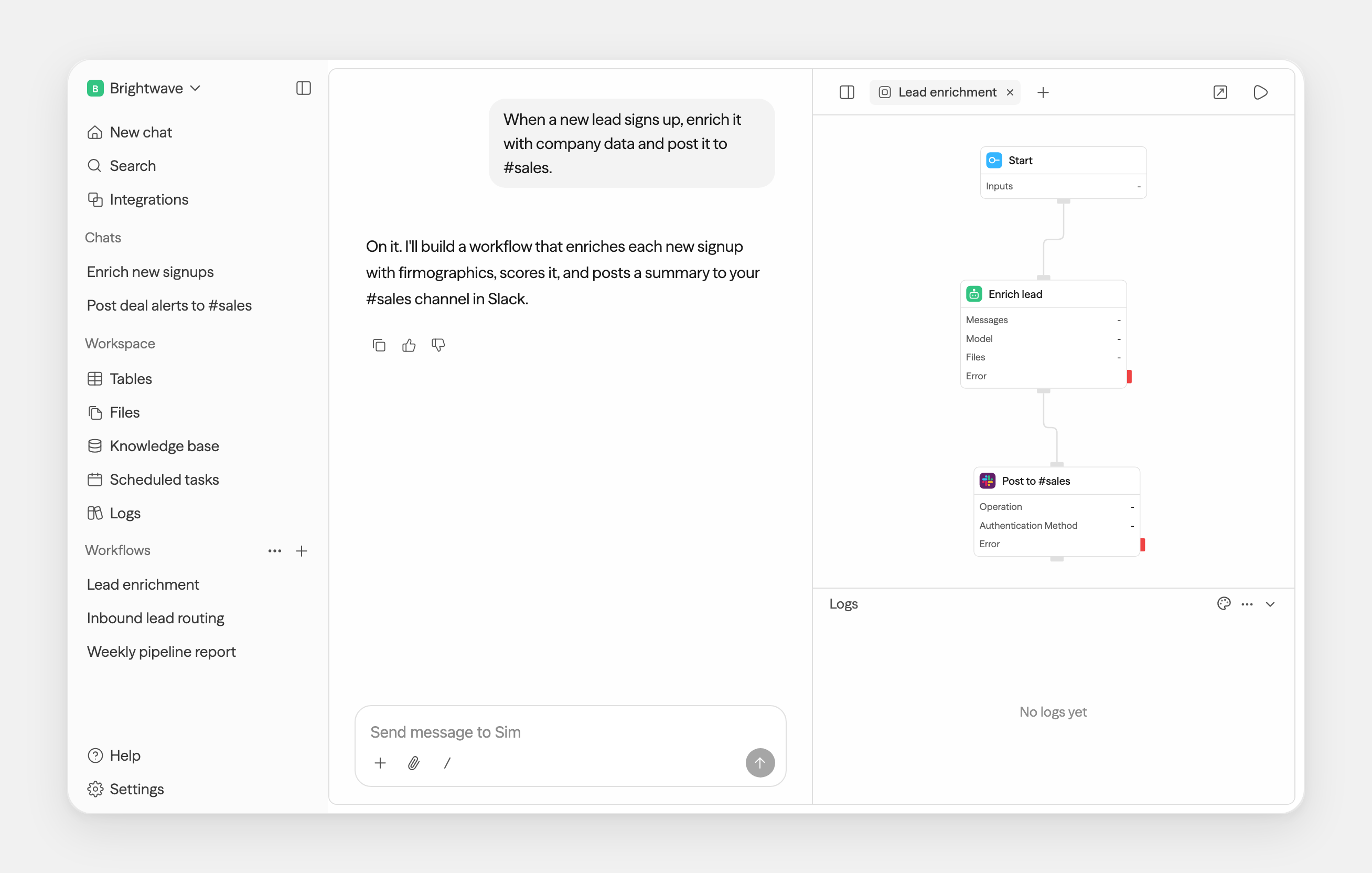
- Connect 1,000+ integrations and every major LLM
- Add Slack, Notion, HubSpot, Salesforce, databases, and more
- Build agents visually, conversationally, or with code
- Ingest files, knowledge bases, and structured table data
- Monitor runs, logs, schedules, and workflow activity
One workspace, every surface
Chat and workflows are just the start — tables, files, and knowledge all live in the same workspace.
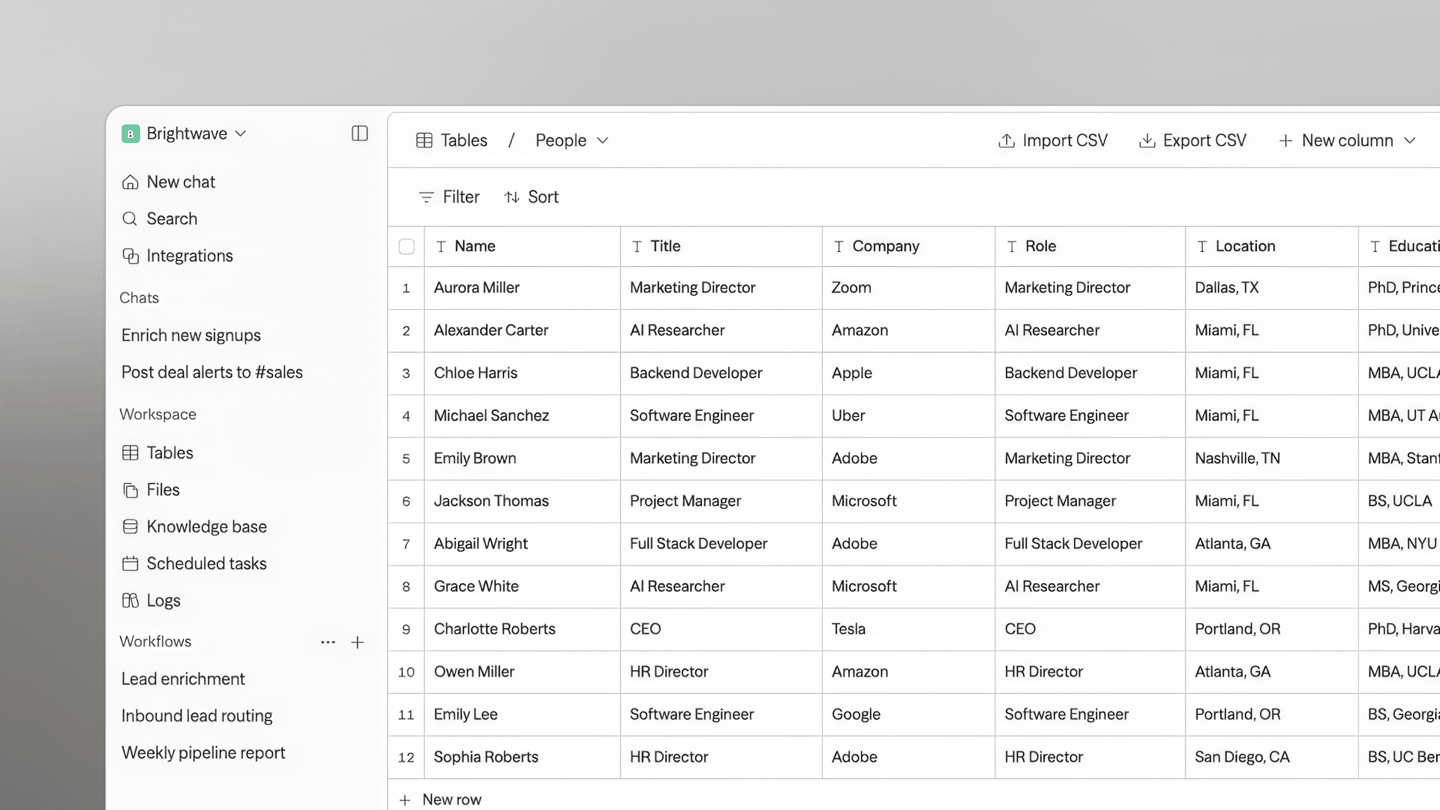
Tables — a database, built in |
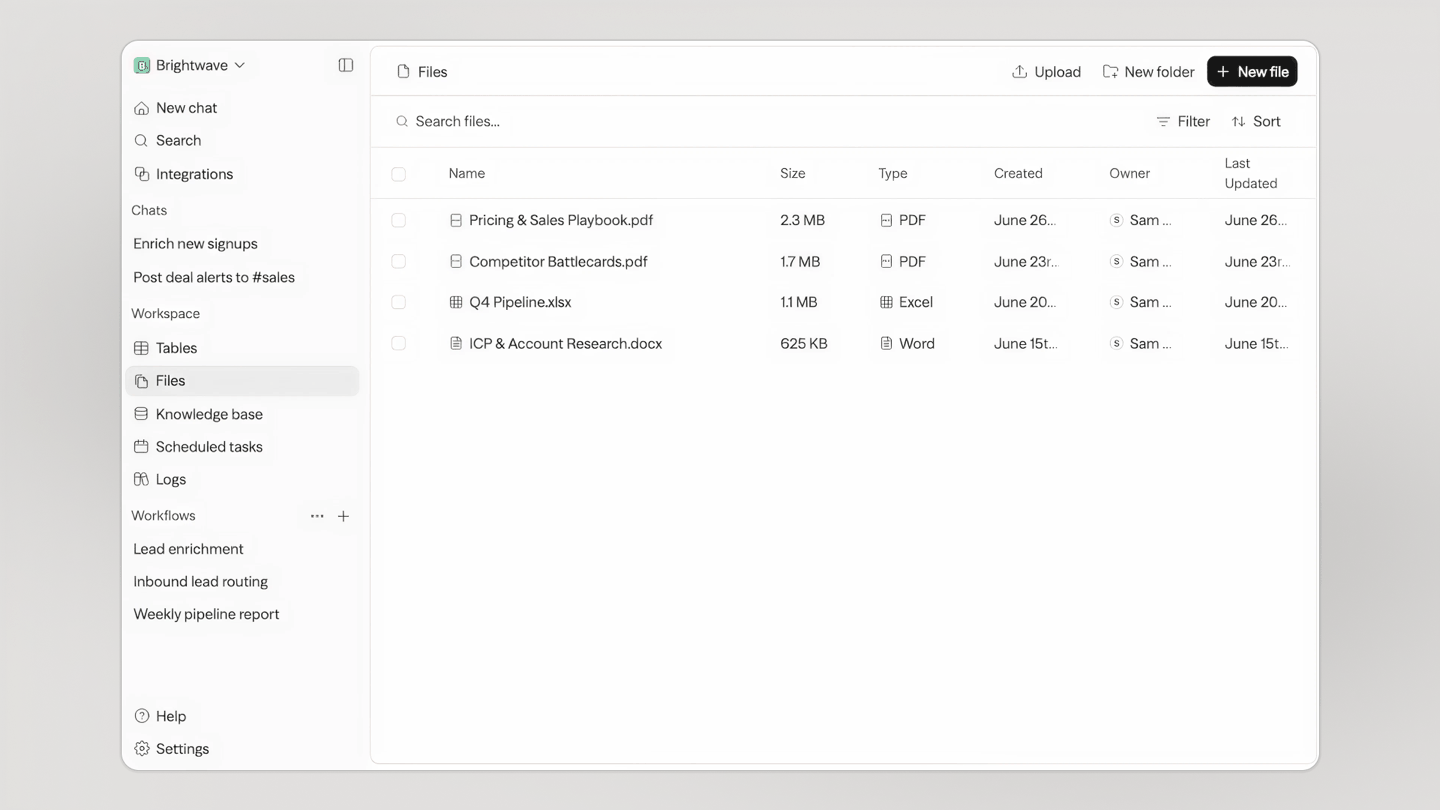
Files — one store for your team and every agent |
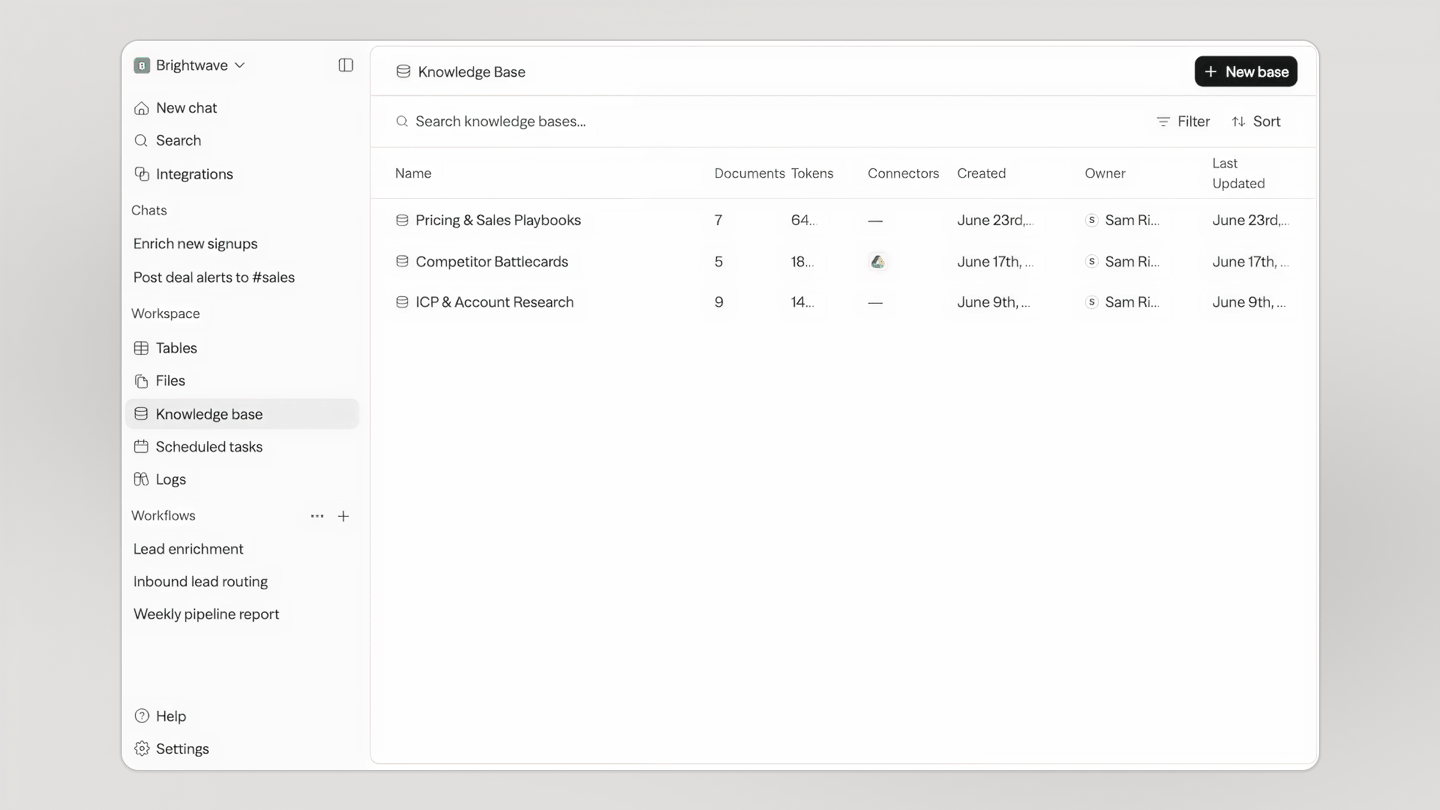
Knowledge — your agents' memory |
Self-hosting
bun run setup is an interactive wizard: it provisions the database, generates secrets, writes your .env files, connects a Chat API key, and starts Sim the way you choose:
- Local dev — run from source to contribute or hack on Sim
- Docker Compose — a self-contained instance for testing self-hosting
- Kubernetes (Helm) — deploy to a local cluster
When it finishes, open http://localhost:3000.
Reconfigure an optional capability without rerunning the full wizard:
bun run setup status
bun run setup email
bun run setup storage
bun run setup sandbox
bun run setup jobs
bun run setup cache
bun run setup knowledge
bun run setup llm
bun run setup integration slack
bun run setup status detects the effective local-dev, Docker Compose, or current-context
Helm configuration and reports configured, missing, or invalid capabilities and OAuth
integrations without printing credential values. This is separate from bun run sim status,
which reports whether installed services are running and healthy.
Manage your install with bun run sim:
bun run sim start | stop | restart   # bring your install up / down / cycle
bun run sim status                    # what's installed and healthy
bun run sim logs                      # follow logs
bun run sim doctor                    # diagnose configuration problems
bun run sim down                      # remove containers (data kept)
bun run sim reset                     # archive .env and wipe managed data
sim detects how you're running (Docker Compose, local dev, or Kubernetes) and acts accordingly.
Prefer a bare sim? Run bun link once — but note sim lands in ~/.bun/bin, which Homebrew's bun doesn't add to your PATH, so you may need export PATH="$HOME/.bun/bin:$PATH" in your shell profile.
Sim also supports local models via Ollama and vLLM. See the self-hosting docs for details.
Chat API Keys
Chat is a Sim-managed service. bun run setup connects a Chat API key for you — sign in when it opens your browser and the key is stored automatically. To view, create, or revoke keys later, go to sim.ai/selfhost/settings/chat-keys.
Environment Variables
See the environment variables reference for the full list, or apps/sim/.env.example for defaults.
Tech Stack
Next.js · Bun · PostgreSQL · Drizzle · Better Auth · Tailwind — and the rest of the stack
- Framework: Next.js (App Router)
- Runtime: Bun
- Database: PostgreSQL with Drizzle ORM
- Authentication: Better Auth
- Schema Validation: Zod
- UI: Shadcn, Tailwind CSS
- Streaming Markdown: Streamdown
- State Management: Zustand, TanStack Query
- Flow Editor: ReactFlow
- Docs: Fumadocs
- Monorepo: Turborepo
- Realtime: Socket.io
- Background Jobs: Trigger.dev
- Remote Code Execution: E2B
- Isolated Code Execution: isolated-vm
Contributing
We welcome contributions! Please see our Contributing Guide for details.
License
This project is licensed under the Apache License 2.0 - see the LICENSE file for details.

Releases
Release information has not been added yet.
Complete your AI stack
Add a general assistant, research, coding, monitoring, and team productivity to your automations.



Best alternatives
Compare similar tools in the same category.



