
Overview
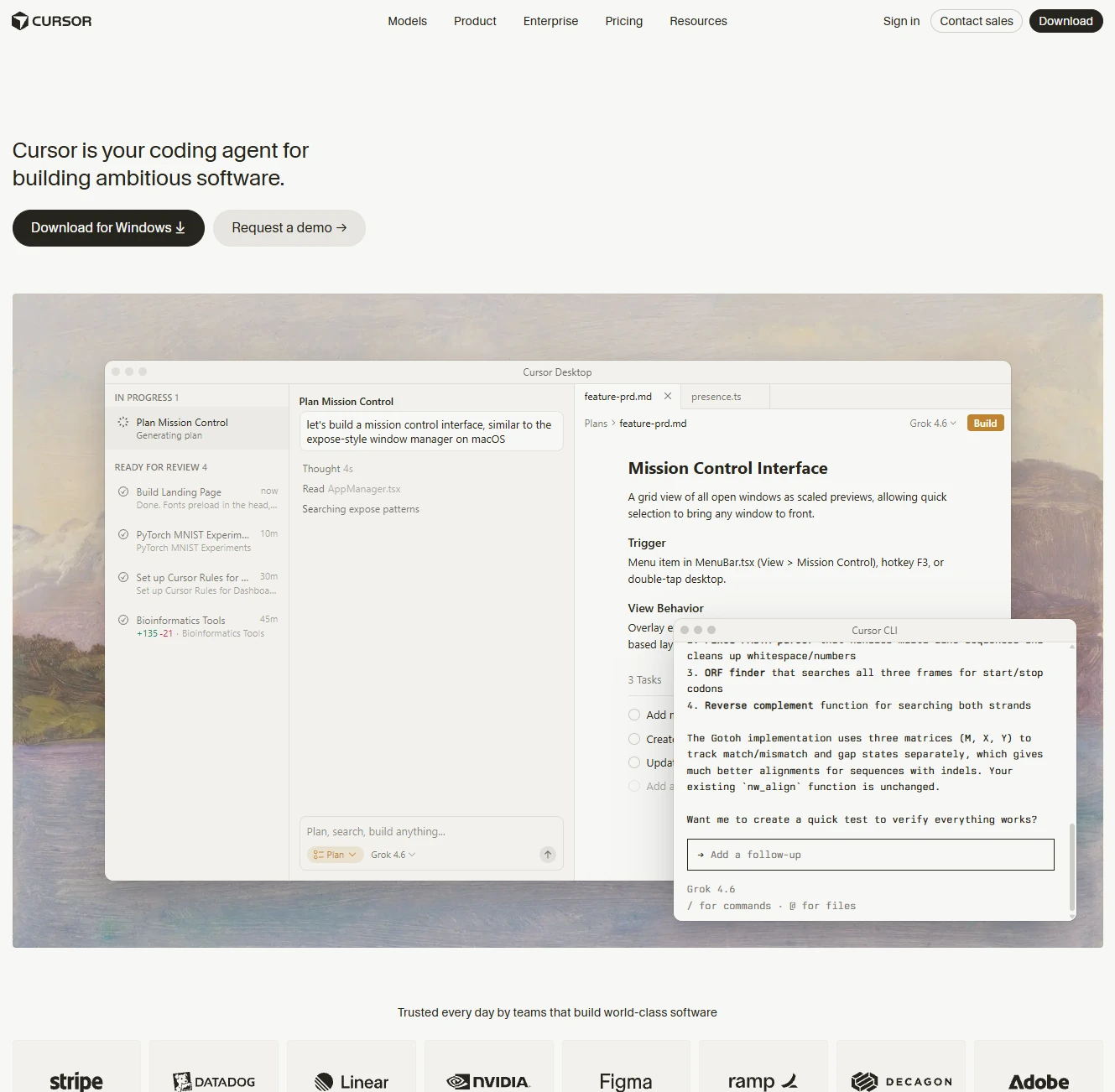
Cursor is an AI-powered software development platform designed to help developers write, understand, review, test, and ship code with AI. It combines a code editor with conversational coding agents, codebase search, debugging tools, pull request workflows, and access to multiple frontier AI models. Cursor can work directly across repositories and development environments, allowing developers to ask questions about existing code, generate features, fix bugs, refactor projects, review changes, and perform other engineering tasks without leaving the development workspace.
Beyond interactive coding assistance, Cursor has expanded into an agentic development platform built around long-running local and cloud agents. Agents can work in isolated virtual machines, operate across multiple repositories, spawn subagents, execute tasks in parallel, monitor pull requests, respond to GitHub or Slack events, and continue working toward persistent goals. Features such as Automations, Bugbot, Security Review, skills, MCP integrations, plugins, hooks, custom tools, and development environment management make Cursor suitable for automating increasingly large parts of the software development lifecycle.
Cursor also provides infrastructure for teams and developers building their own AI workflows. The Cursor SDK enables programmatic agents using the same runtime and models as Cursor, while Origin adds code hosting, repositories, pull requests, and code browsing directly to the platform. Integrations with GitHub, Jira, Slack, Microsoft Teams, Google Workspace, and other services extend agents beyond the editor. Overall, Cursor has evolved from an AI coding editor into a comprehensive agentic software engineering environment focused on building, reviewing, testing, and shipping software with AI.
Releases
2026
August
2026.08.13 Cloud Agents Start 3x Faster with Builds · 2026-08-13
Agents do their best work when they start in a ready environment: repos cloned, dependencies installed, and your install script already run.
Official release notes2026.08.03 Google Workspace Plugins · 2026-08-03
Cursor can now read, write, and act across your Google Workspace.
Official release notesJuly
2026.07.29 Cursor, now on iPad · 2026-07-29
Cursor for iPad is now available on all paid plans.
Official release notes2026.07.28 Cursor Start · 2026-07-28
We're introducing Cursor Start, a new ₹649 monthly plan for developers in India, making daily agentic development accessible and payment easy with local pricing and UPI.
Official release notes2026.07.22 Cursor Router · 2026-07-22
Auto mode is now powered by Cursor Router.
Official release notes2026.07.17 Improvements to Cursor in Slack · 2026-07-17
Cursor in Slack now shares a plan before it starts, runs in multi-repo environments, and can work across channels and threads.
Official release notes3.11 Side Chats and Conversation Search · 2026-07-10
This release makes it easier to stay in flow with side chats that run alongside your main chat, the ability to search agent transcripts, and simplified project and repo pickers.
Official release notesJune
3.10 MCPs and Organizations in Team Marketplaces · 2026-06-30
We've expanded team marketplaces to support Team MCPs and organization groups.
Official release notes3.9 Cursor Mobile App for iOS · 2026-06-29
Cursor for iOS is now available in public beta on all paid plans. Launch and manage always-on agents from anywhere.
Official release notes3.9 Customize Cursor · 2026-06-22
Plugins, skills, and MCPs let you customize Cursor for your workflows. The new Customize page brings them into one place.
Official release notes3.8 Improvements to Cursor Automations · 2026-06-18
Cursor Automations save you time by automating repetitive tasks with always-on agents.
Official release notes3.7 Cloud Environment Setup and Cloud Subagents in Agents Window · 2026-06-17
This release introduces updates to cloud agents in the Agents Window of the Cursor desktop app.
Official release notes2026.06.10 Bugbot is now over 3x faster, 22% cheaper, and finds 10% more bugs · 2026-06-10
The average review time for Bugbot is now ~90 seconds, down from ~5 minutes.
Official release notes3.7 Design Mode Improvements · 2026-06-05
With Design Mode in the Cursor browser, you can click, draw, or describe changes by voice to help agents update your UI.
Official release notes2026.06.04 Custom stores, custom tools, and auto-review for the Cursor SDK · 2026-06-04
We've shipped a batch of new functionality across the TypeScript and Python SDKs.
Official release notes3.7 Canvas Design Mode and Context Usage Report · 2026-06-04
With canvases, agents can create interactive artifacts like dashboards, reports, and internal tools.
Official release notes2026.06.03 Organizations for Cursor Enterprise · 2026-06-03
Enterprise customers can now manage multiple Cursor teams from one place.
Official release notesMay
3.6 Auto-review Run Mode · 2026-05-29
Auto-review is a new run mode that allows Cursor to work for longer with fewer approval prompts and safer execution.
Official release notes3.5 Shared Canvases and /loop Skill · 2026-05-20
You can now share canvases from Cursor with your team.
Official release notes3.5 Improvements to Cursor Automations · 2026-05-20
This release brings Cursor Automations to the Agents Window and introduces the ability to configure automations with multiple attached repos or no repos at all.
Official release notes3.4 Full-screen Tabs and Compact Chats · 2026-05-13
This release introduces quality-of-life improvements to the Agents Window.
Official release notes3.4 Development environments for cloud agents · 2026-05-13
This release introduces new tools for teams to configure development environments for their agents.
Official release notes2026.05.11 Cursor in Microsoft Teams · 2026-05-11
Cursor is now available in Microsoft Teams.
Official release notes2026.05.11 Bugbot Effort Levels · 2026-05-11
Teams admins and Individual plan users can now customize the effort level Bugbot uses for its PR reviews.
Official release notes3.3 PR Review, Build Plan in Parallel, and Split PRs · 2026-05-07
This release introduces a new PR review experience, faster execution on plans through parallel agents, and new quick-action pills for common workflows.
Official release notes3.3 Context Usage Breakdown · 2026-05-06
You can now see a breakdown of your agent's context usage.
Official release notes2026.05.04 Model controls, spend management, and usage analytics · 2026-05-04
This release introduces updates for Enterprise admins.
Official release notes2026.05.01 Team Marketplace Updates · 2026-05-01
Admins can now create a team marketplace without connecting a repository first.
Official release notesApril
2026.04.30 Cursor Security Review · 2026-04-30
Cursor Security Review is now in beta on Teams and Enterprise plans.
Official release notes2026.04.29 Build programmatic agents with the Cursor SDK · 2026-04-29
We're introducing the Cursor SDK so you can build agents with the same runtime, harness, and models that power Cursor.
Official release notes3.2 Multitask, Worktrees, and Multi-root Workspaces · 2026-04-24
This release introduces a new way to multitask with async subagents, an improved worktrees experience, and multi-root workspaces for making cross-repo changes.
Official release notes2026.04.15 Canvases · 2026-04-15
Cursor can now respond by creating interactive canvases.
Official release notes2026.04.14 CLI Debug Mode and /btw Support · 2026-04-14
We've shipped quality-of-life improvements to the Cursor CLI to make working with agents in the terminal more delightful.
Official release notes3.1 Tiled Layout and Upgraded Voice Input in the Agents Window · 2026-04-13
This release introduces improvements to our Agents Window interface as part of Cursor 3.
Official release notes2026.04.08 Bugbot Learned Rules and MCP Support · 2026-04-08
This release introduces updates to Bugbot including the ability to self-improve in real time, MCP support, improvements to Bugbot Autofix, and the highest resolution rate to date.
Official release notesComplete your AI stack
Add a general assistant, research, coding, monitoring, and team productivity to your automations.




Best alternatives
Compare similar tools in the same category.