
Pricing
Pricing information has not been added yet.
Overview
Oh My OpenAgent is an open-source agent orchestration environment built to make coding agents work more like coordinated engineering teams. It provides opinionated agent roles, workflows, plugins, and automation patterns for agent harnesses, with support expanding across tools such as OpenCode, Codex, and other coding-agent environments. Team Mode allows multiple specialized agents and models to cooperate on a task rather than relying on one assistant for every step.
The project is aimed at developers who want a more capable operating layer around coding agents, including task delegation, parallel work, reusable skills, and structured development behavior. Its ecosystem is evolving toward support for multiple agent harnesses instead of being tied to one CLI. Oh My OpenAgent is particularly relevant to power users experimenting with multi-model coding workflows and autonomous software engineering, where orchestration and repeatable agent behavior matter as much as the underlying model.
README
[!NOTE] OmO for Codex is here: try LazyCodex
We loved Anthropic models enough to get blocked. Now we are backing Codex. If you are an OmO fan but the setup felt like too much, use LazyCodex. OmO for Codex has shipped:
npx lazycodex-ai installLearn more at lazycodex.ai.
[!NOTE] Multi-Harness Agent OS Refactor in Progress
We are restructuring the codebase to support multiple agent harnesses (OpenCode, Codex, Pi, and others). If you are interested in contributing, please read the ROADMAP first. PRs related to roadmap work should use the
ROADMAPlabel.
[!TIP] Building in Public
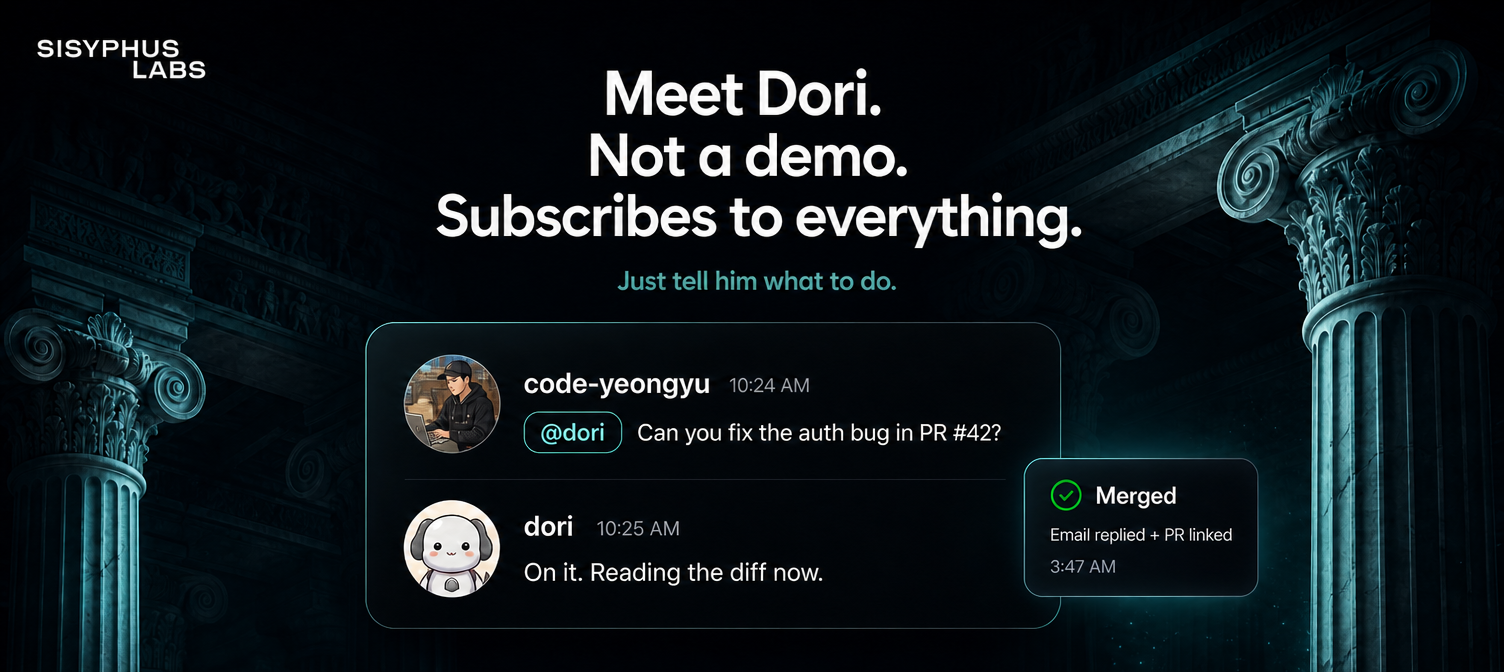
The maintainer builds and maintains oh-my-openagent in real-time with Jobdori, an AI assistant running on a heavily customized fork of OpenClaw. Every feature, every fix, every issue triage — live in our Discord.

[!NOTE]
OmO is maintained by Jobdori, the AI assistant shown above. Meet your own Jobdori — Dori.
Join the waitlist here.
[!TIP] Be with us!
Join our Discord community to connect with contributors and fellow oh-my-openagentusers.Updates for oh-my-openagentused to be posted on my X account.
Since it was mistakenly suspended, @justsisyphus now posts updates on my behalf.Follow @code-yeongyu on GitHub for more projects.




This is oh-my-openagent, running Team Mode. With Kimi K3 and GPT-5.6 Sol.
Anthropic blocked OpenCode because of us. Yes, this is true. They want you locked in. Claude Code is a nice prison, but it's still a prison.
You don't need to pay $200 for 2 hours of work. The future isn't picking one winner; it's orchestrating them all. Models get cheaper every month. Smarter every month. No single provider will dominate. We're building for that open market, not their walled gardens.







Reviews
"It made me cancel my Cursor subscription. Unbelievable things are happening in the open source community." - Arthur Guiot
"If Claude Code does in 7 days what a human does in 3 months, Sisyphus does it in 1 hour. It just works until the task is done. It is a discipline agent."
- B, Quant Researcher
"Knocked out 8000 eslint warnings with Oh My Opencode, just in a day"
- Jacob Ferrari
"I converted a 45k line tauri app into a SaaS web app overnight using Ohmyopencode and ralph loop. Started with interview me prompt, asked it for ratings and recommendations on the questions. It was amazing to watch it work and to wake up this morning to a mostly working website!" - James Hargis
"use oh-my-opencode, you will never go back"
- d0t3ch
"I haven't really been able to articulate exactly what makes it so great yet, but the development experience has reached a completely different dimension." - 苔硯:こけすずり
"Experimenting with open code, oh my opencode and supermemory this weekend to build some minecraft/souls-like abomination." "Asking it to add crouch animations while I go take my post-lunch walk. [Video]" - MagiMetal
"You guys should pull this into core and recruit him. Seriously. It's really, really, really good."
- Henning Kilset
"Hire @yeon_gyu_kim if you can convince him, this dude has revolutionized opencode."
- mysticaltech
"Oh My OpenCode Is Actually Insane" - YouTube - Darren Builds AI
Oh My OpenAgent
You're juggling Claude Code, Codex, and random OSS models. Configuring workflows. Debugging agents.
We did the work. Tested everything. Kept what actually shipped.
Install oh-my-openagent. Type ultrawork. Done.
Installation
oh-my-openagent ships in two editions of the same product:
- Ultimate Edition (omo for OpenCode) — full omo. 11 agents, 54+ lifecycle hooks, 5 built-in MCPs, all slash commands, Team Mode, ulw-loop, ultrawork, hashline edits — everything.
- Light Edition (omo for Codex CLI) — the portable components that fit Codex's plugin system:
rules,comment-checker,git-bash,lsp,ultrawork,ulw-loop,start-work-continuation, andtelemetry, plus plugin-scoped MCPs forgrep_app,context7,codegraph,git_bash, andlsp, and the sharedast-grepskill. No agent orchestration and noteam_*tools — Codex CLI's own surface does that work.
Pick the edition(s) you want.
TL;DR
| You want | Run | What lands on disk |
|---|---|---|
| Ultimate (OpenCode) | bunx oh-my-openagent install (TUI walks you through it) | Plugin registered in opencode.json + agent/model config + provider auth prompts |
| Light (Codex CLI) | npx lazycodex-ai install | ~/.codex/plugins/cache/sisyphuslabs/omo/ + local Codex marketplace cache + ~/.codex/config.toml marketplace/plugin/agent blocks + optional autonomous permissions + component CLIs in ~/.local/bin |
| Both | bunx oh-my-openagent install --platform=both | Both of the above |
lazycodex-ai defaults to the Codex Light installer and runs through Node/npm. --platform on the shared omo CLI still defaults to opencode (Ultimate).
For Humans
Strongly recommended: let an LLM agent install this for you. The Ultimate edition setup involves subscription detection, model selection across 11 agents, and per-provider authentication — humans fat-finger these. An LLM agent reads the full guide and walks every step correctly.
Paste this prompt into Claude Code, AmpCode, Cursor, or any agent:
Install and configure oh-my-openagent by following the instructions here:
https://raw.githubusercontent.com/code-yeongyu/oh-my-openagent/refs/heads/dev/docs/guide/installation.md
If you only want the Light edition (Codex CLI), the installer asks whether to configure Codex for autonomous full-permissions mode. You can run it yourself in one line:
npx lazycodex-ai install
# non-interactive recommended mode:
npx lazycodex-ai install --no-tui --codex-autonomous
For the Light edition, Bun is not required. Use npx lazycodex-ai install from a Node/npm environment. Global installation is not officially supported; the installer writes the Codex plugin into ~/.codex/.
For LLM Agents
Fetch the full guide and follow it step by step:
curl -fsSL https://raw.githubusercontent.com/code-yeongyu/oh-my-openagent/refs/heads/dev/docs/guide/installation.md
The guide covers: platform selection, the subscription interview, provider authentication (Anthropic / Gemini / Copilot / Z.ai / OpenCode Zen), the agent-to-model matching matrix, modes (ultrawork, search, analyze, team, hyperplan), slash commands, the Light edition's 8 Codex components, Team Mode, and uninstall. Don't summarize it; read it end to end.
Note on package and command names
The published npm package and CLI binary are still named oh-my-opencode (dual-published as oh-my-openagent during the rename transition). Inside opencode.json, the compatibility layer prefers the plugin entry oh-my-openagent, while legacy oh-my-opencode entries still load with a warning. Plugin config files still commonly use oh-my-opencode.json[c]; both legacy and renamed basenames are recognized.
The recommended bunx/npx invocation is oh-my-openagent install (or the original oh-my-opencode install). The package also ships omo as a bin alias, but do not use bunx omo or npx omo — omo is a different, unrelated npm package by a different author, and the package manager may resolve the wrong one. lazycodex-ai is a single-purpose Node/npm installer package: npx lazycodex-ai install routes directly to the Codex Light installer. It is not the Codex marketplace name (the marketplace repository is code-yeongyu/lazycodex). Codex sees marketplace sisyphuslabs and plugin omo, enabled as omo@sisyphuslabs.
Telemetry
Anonymous telemetry is enabled by default to track active installations (DAU/WAU/MAU). For both products, a single event is sent at most once per UTC day per machine using a SHA256-hashed installation identifier (never the raw hostname), and PostHog person profiles are not created. The main plugin emits omo_daily_active from plugin load (plugin_loaded) and CLI run (run_started) sources; the Codex CLI Light edition emits omo_codex_daily_active from two sources (install_completed and session_start).
Opt out per product:
- Main plugin: set
"telemetry": falsein oh-my-openagent config,OMO_DISABLE_POSTHOG=1, orOMO_SEND_ANONYMOUS_TELEMETRY=0 - Codex CLI Light edition:
OMO_CODEX_DISABLE_POSTHOG=1orOMO_CODEX_SEND_ANONYMOUS_TELEMETRY=0(the global flags also disable Codex)
See Privacy Policy and Terms of Service.
Skip This README
We're past the era of reading docs. Just paste this into your agent:
Read this and tell me why it's not just another boilerplate: https://raw.githubusercontent.com/code-yeongyu/oh-my-openagent/refs/heads/dev/README.md
ROADMAP
We are restructuring the codebase to support multiple agent harnesses (OpenCode, Codex, Pi, Claude Code, and others). The most urgent work is the package layering refactor: separating pure TypeScript core logic, MCP servers, skills, and adapter shims into distinct layers so the same logic can be reused across harnesses without duplication.
If you want to contribute, read the ROADMAP first. PRs related to this refactor should use the ROADMAP label so we can track them.
Highlights
🪄 ultrawork
You're actually reading this? Wild.
Install. Type ultrawork (or ulw). Done.
Everything below, every feature, every optimization: you don't need to know any of it. It just works.
Even with only the following subscriptions, ultrawork works well (this project is not affiliated; these are personal recommendations):
- ChatGPT Subscription ($20)
- Kimi Code Subscription ($19)
- GLM Coding Plan ($10)
- If you're eligible for pay-per-token, using Kimi and Gemini models won't cost much.
| Feature | Edition | What it does | |
|---|---|---|---|
| 🤖 | Discipline Agents | Ultimate | Sisyphus orchestrates Hephaestus, Oracle, Librarian, Explore. A full AI dev team in parallel. |
| 🧩 | Codex CLI Light Edition | Light | Portable OMO components (rules, comment-checker, git-bash, LSP, ultrawork, ulw-loop, start-work continuation, telemetry) running inside OpenAI Codex CLI. Install via npx lazycodex-ai install. |
| 👥 | Team Mode (v4.0, opt-in) | Ultimate | Lead agent + up to 8 parallel members, real-time tmux visualization, dedicated team_* tools. Powers hyperplan (5 hostile critics) and security-research (3 hunters + 2 PoC engineers). Docs → |
| ⚡ | ultrawork / ulw | Both | One word. Every agent activates. Doesn't stop until done. |
| 🚪 | IntentGate | Ultimate | Analyzes true user intent before classifying or acting. No more literal misinterpretations. (Light edition only recognises the ultrawork/ulw keyword.) |
| 🔗 | Hash-Anchored Edit Tool | Ultimate | LINE#ID content hash validates every change. Zero stale-line errors. Inspired by oh-my-pi. The Harness Problem → |
| 🛠️ | LSP integration | Both | Diagnostics, navigation, symbols, workspace rename. IDE precision for agents. Same LSP MCP server in both editions. |
| 🔎 | AST-Grep | Ultimate | Pattern-aware code search and rewriting across 25 languages. |
| 🧠 | Background Agents | Ultimate | Fire 5+ specialists in parallel. Context stays lean. Results when ready. |
| 📚 | Built-in MCPs (web/docs/code search) | Ultimate | Exa (web search), Context7 (official docs), Grep.app (GitHub search). Always on. |
| 🔁 | Goal / /goal | Ultimate | Persistent per-session objective. Re-injects a continuation prompt on every idle until a completion audit says it's done. |
| ✅ | Todo Enforcer | Ultimate | Agent goes idle? System yanks it back. Your task gets done, period. |
| 💬 | Comment Checker | Both | No AI slop in comments. Code reads like a senior wrote it. |
| 📐 | Rules Injection (AGENTS.md / .omo/rules/**) | Both | Project rules and AGENTS.md auto-loaded into the agent's context at every prompt. |
| 🎯 | Ulw Loop | Both | Durable multi-goal orchestration with evidence audit, backed by .omo/ulw-loop/. |
| 🖥️ | Tmux Integration | Ultimate | Full interactive terminal. REPLs, debuggers, TUIs. All live. |
| 🔌 | Claude Code Compatible | Ultimate | Your hooks, commands, skills, MCPs, and plugins? All work here. |
| 🧬 | Skill-Embedded MCPs | Ultimate | Skills carry their own MCP servers. No context bloat. |
| 📋 | Prometheus Planner | Ultimate | Interview-mode strategic planning before any execution. |
| 🔍 | /init-deep | Ultimate | Auto-generates hierarchical AGENTS.md files throughout your project. Great for both token efficiency and your agent's performance. |
Edition legend. Ultimate = OpenCode-only (
bunx oh-my-openagent install). Light = Codex CLI-only (npx lazycodex-ai install). Both = shipped in both editions, often with slightly different implementations under the hood.
Discipline Agents
 |  |
Sisyphus (claude-opus-5 / kimi-k3 / glm-5 ) is your main orchestrator. He plans, delegates to specialists, and drives tasks to completion with aggressive parallel execution. He does not stop halfway. Claude Opus 5 and Kimi K3 are the recommended defaults.
Hephaestus (gpt-5.6-sol through OpenAI, GitHub Copilot, Vercel, or OpenCode at medium effort) is your autonomous deep worker. Give him a goal, not a recipe. He explores the codebase, researches patterns, and executes end-to-end without hand-holding. The Legitimate Craftsman.
Prometheus (claude-fable-5 / kimi-k3) is your strategic planner. Interview mode: he asks questions, identifies scope, and builds a detailed plan before a single line of code is touched.
Every agent is tuned to its model's specific strengths. No manual model juggling. Learn more →
Anthropic blocked OpenCode because of us. That's why Hephaestus is called "The Legitimate Craftsman." The irony is intentional.
We run best on Opus or Kimi K3, but Kimi K3 + GPT-5.6 Sol already beats vanilla Claude Code. Zero config needed.
Team Mode (v4.0)
One agent is fast. A coordinated team is devastating.
Team Mode turns oh-my-openagent from "one agent with subagents" into a real multi-agent system. A lead agent orchestrates a team of category-specialized members, all running in parallel and communicating through dedicated tools (team_create, team_send_message, team_task_create, team_status, ...). Watch every member work simultaneously in a tmux layout with focus + grid windows.
// .opencode/oh-my-openagent.jsonc
{
  "team_mode": {
    "enabled": true,
    "max_parallel_members": 4,
    "tmux_visualization": true
  }
}
Restart opencode and the team_* tool family unlocks. Two skills already ride on top:
hyperplan— 5 hostile agents tear apart your plan from orthogonal angles before a single line of code is written.security-research— 3 vulnerability hunters + 2 PoC engineers audit your codebase in parallel, with severity calibrated by actual exploitability.
Off by default. Enable it when you want it. Full Team Mode guide →
Agent Orchestration
When Sisyphus delegates to a subagent, it doesn't pick a model. It picks a category. The category maps automatically to the right model:
| Category | What it's for |
|---|---|
visual-engineering | Frontend, UI/UX, design |
deep | Autonomous research + execution |
quick | Single-file changes, typos |
ultrabrain | Hard logic, architecture decisions |
The agent says what kind of work it needs; the harness picks the right model. ultrabrain now routes to GPT-5.6 Sol xhigh through OpenAI or Vercel when available, then GPT-5.6 Sol xhigh. You touch nothing.
Claude Code Compatibility
You dialed in your Claude Code setup. Good.
Every hook, command, skill, MCP, plugin works here unchanged. Full compatibility, including plugins.
World-Class Tools for Your Agents
LSP, AST-Grep, Tmux, and MCP, actually integrated, not duct-taped together.
- LSP:
lsp_rename,lsp_goto_definition,lsp_find_references,lsp_diagnostics. IDE precision for every agent. - AST-Grep: Pattern-aware code search and rewriting across 25 languages.
- Tmux: Full interactive terminal. REPLs, debuggers, TUI apps. Your agent stays in session.
- MCP: Web search, official docs, GitHub code search. All baked in.
Skill-Embedded MCPs
MCP servers eat your context budget. We fixed that.
Skills bring their own MCP servers. They spin up on demand, scoped to the task, and go away when done. The context window stays clean.
Codes Better. Hash-Anchored Edits
The harness problem is real. Most agent failures aren't the model's fault; it's the edit tool.
"None of these tools give the model a stable, verifiable identifier for the lines it wants to change... They all rely on the model reproducing content it already saw. When it can't - and it often can't - the user blames the model."
Inspired by oh-my-pi, we built Hashline. Every line the agent reads comes back tagged with a content hash:
11#VK| function hello() {
22#XJ|   return "world";
33#MB| }
The agent edits by referencing those tags. If the file has changed since the last read, the hash won't match and the edit is rejected before any corruption. No whitespace reproduction. No stale-line errors.
Grok Code Fast 1: 6.7% → 68.3% success rate, just from changing the edit tool.
Deep Initialization. /init-deep
Run /init-deep. It generates hierarchical AGENTS.md files:
project/
├── AGENTS.md              ← project-wide context
├── src/
│   ├── AGENTS.md          ← src-specific context
│   └── components/
│       └── AGENTS.md      ← component-specific context
Agents auto-read relevant context. Zero manual management.
Planning. Prometheus
Complex task? Don't prompt and pray.
/start-work calls Prometheus. He interviews you like a real engineer, identifies scope and ambiguities, and builds a verified plan before touching code. The agent knows what it's building before it starts.
Skills
Skills aren't just prompts. Each brings:
- Domain-tuned system instructions.
- Embedded MCP servers, on demand.
- Scoped permissions so agents stay in bounds.
Built-ins: playwright (browser automation), git-master (atomic commits, rebase surgery), frontend (design-first UI).
Add your own under .opencode/skills/*/SKILL.md or ~/.config/opencode/skills/*/SKILL.md.
Want the full feature breakdown? See the Features Documentation for agents, hooks, tools, MCPs, and everything else in detail.
New to oh-my-openagent? Read the Overview to understand what you have, or check the Orchestration Guide for how agents collaborate.
Uninstallation
To remove oh-my-openagent:
-
Remove the plugin from your OpenCode config
Edit
~/.config/opencode/opencode.json(oropencode.jsonc) and remove either"oh-my-openagent"or the legacy"oh-my-opencode"entry from thepluginarray:# Using jq jq '.plugin = [.plugin[] | select(. != "oh-my-openagent" and . != "oh-my-opencode")]' \ ~/.config/opencode/opencode.json > /tmp/oc.json && \ mv /tmp/oc.json ~/.config/opencode/opencode.json -
Remove configuration files (optional)
# Remove plugin config files recognized during the compatibility window rm -f ~/.config/opencode/oh-my-openagent.jsonc ~/.config/opencode/oh-my-openagent.json \ ~/.config/opencode/oh-my-opencode.jsonc ~/.config/opencode/oh-my-opencode.json # Remove project config (if exists) rm -f .opencode/oh-my-openagent.jsonc .opencode/oh-my-openagent.json \ .opencode/oh-my-opencode.jsonc .opencode/oh-my-opencode.json -
Verify removal
opencode --version # Plugin should no longer be loaded -
Remove omo-codex (Codex CLI Light edition)
npx lazycodex-ai uninstall
# backward-compatible alias:
npx lazycodex-ai cleanup

omo uninstall --platform=codex
# backward-compatible alias:
omo cleanup --platform=codex
The uninstall command removes managed
sisyphuslabsCodex cache/marketplace state, stripsomo@sisyphuslabsplugin and hook-state blocks from~/.codex/config.tomlafter writing a backup, and removes agent TOML links listed in the install manifest. If a specific project still has old project-local Codex plugin state, run the command from that project or pass--project <path>; it repairs known project-local.codex/config.tomlconflicts and reports project-local.codexartifacts without deleting project-owned files.
Features
Features you'll think should've always existed. Once you use them, you can't go back.
See full Features Documentation.
Quick Overview:
- Agents: Sisyphus (the main agent), Prometheus (planner), Oracle (architecture/debugging), Librarian (docs/code search), Explore (fast codebase grep), Multimodal Looker
- Background Agents: Run multiple agents in parallel like a real dev team
- LSP & AST Tools: Refactoring, rename, diagnostics, AST-aware code search
- Hash-anchored Edit Tool:
LINE#IDreferences validate content before applying every change. Surgical edits, zero stale-line errors - Context Injection: Auto-inject AGENTS.md, README.md, conditional rules
- Claude Code Compatibility: Full hook system, commands, skills, agents, MCPs
- Built-in MCPs: websearch (Exa), context7 (docs), grep_app (GitHub search) — injected at runtime by the plugin; not visible in
opencode mcp list(see MCP docs) - Session Tools: List, read, search, and analyze session history
- Productivity Features: Goal, Todo Enforcer, Comment Checker, Think Mode, and more
- Doctor Command: Built-in diagnostics (
bunx oh-my-opencode doctor) verify plugin registration, config, models, and environment - Model Fallbacks:
fallback_modelscan mix plain model strings with per-fallback object settings in the same array - File Prompts: Load prompts from files with
file://support in agent configurations - Session Recovery: Automatic recovery from session errors, context window limits, and API failures
- Model Setup: Agent-model matching is built into the Installation Guide
Configuration
Opinionated defaults, adjustable if you insist.
See Configuration Documentation.
Quick Overview:
- Config Locations: User config plus walked
.opencode/oh-my-openagent.json[c]configs up to$HOME; closest wins. Legacyoh-my-opencode.json[c]still works. - JSONC Support: Comments and trailing commas supported
- Agents: Override models, temperatures, prompts, and permissions for any agent
- Built-in Skills:
playwright(browser automation),git-master(atomic commits) - Sisyphus Agent: Main orchestrator with Prometheus (Planner) and Metis (Plan Consultant)
- Background Tasks: Configure concurrency limits per provider/model
- Categories: Domain-specific task delegation (
visual,business-logic, custom) - Hooks: 54+ lifecycle hooks (61 with Team Mode), all configurable via
disabled_hooks - MCPs: Built-in websearch (Exa), context7 (docs), grep_app (GitHub search) — runtime-injected, not shown in
opencode mcp list - LSP: Full LSP support with refactoring tools
- Experimental: Aggressive truncation, auto-resume, and more
Author's Note
Want the philosophy? Read the Ultrawork Manifesto.
I burned through $24K in LLM tokens on personal projects. Tried every tool. Configured everything to death. OpenCode won.
Every problem I hit, the fix is baked into this plugin. Install and go.
If OpenCode is Debian/Arch, oh-my-openagent is Ubuntu/Omarchy.
Heavily influenced by AmpCode and Claude Code. Features ported, often improved. Still building. It's OpenCode.
Other harnesses promise multi-model orchestration. We ship it. Stability too. And features that actually work.
I'm this project's most obsessive user:
- Which model has the sharpest logic?
- Who's the debugging god?
- Who writes the best prose?
- Who dominates frontend?
- Who owns backend?
- What's fastest for daily driving?
- What are competitors shipping?
This plugin is the distillation. Take the best. Got improvements? PRs welcome.
Stop agonizing over harness choices. I'll research, steal the best, and ship it here.
Sounds arrogant? Have a better way? Contribute. You're welcome.
No affiliation with any project or model mentioned. Just personal experimentation.
Credit: The LazyCodex name idea is inspired by LazyVim. The Ultragoal and UltraQA ideas are inspired by oh-my-codex, reimplemented from concept for OmO.
99% of this project was built with OpenCode. I don't really know TypeScript, but I personally reviewed and largely rewrote this doc.
Loved by professionals at
- Indent
- Makers of Spray (influencer marketing solution), vovushop (cross-border commerce platform), and vreview (AI commerce review marketing solution).
- Microsoft
- Vercel
- ELESTYLE
- Makers of elepay (multi-mobile payment gateway) and OneQR (mobile application SaaS for cashless solutions).
- Deepgram
Special thanks to @junhoyeo for this amazing hero image.
Releases
Release information has not been added yet.
Related articles
Guides and news that mention this tool.

AI Agents in Zapier vs Make vs n8n: Which Is Best?
What Is n8n? The Open-Source Workflow Automation Tool Explained
AI Email Labeling in Gmail with OpenAI
AI WhatsApp Customer Support Agent

Build a RAG Chatbot over Your Google Drive Documents

Build an AI Assistant on Telegram (Voice + Text) with n8n
Complete your AI stack
Add a general assistant, research, coding, monitoring, and team productivity to your automations.


Best alternatives
Compare similar tools in the same category.



