
Overview
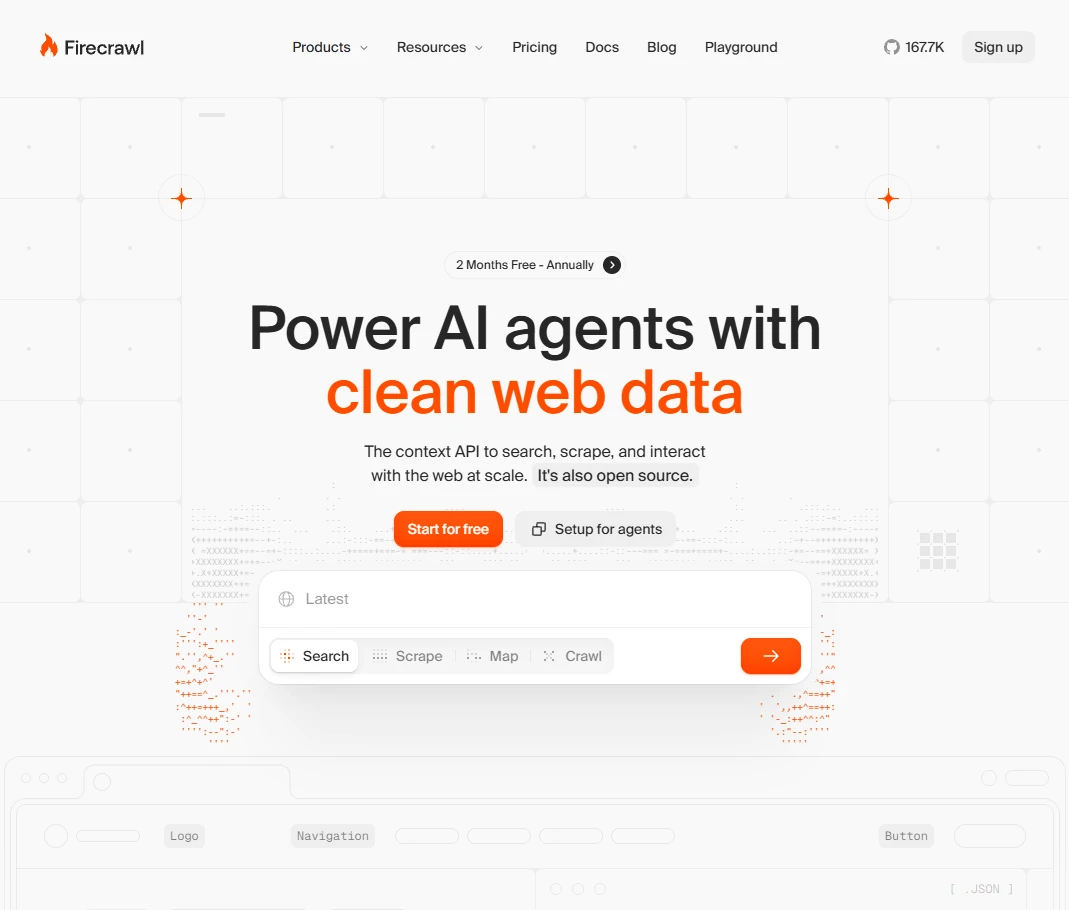
Firecrawl is a web data extraction platform that turns websites into clean, LLM-ready content. It can crawl pages, scrape individual URLs, discover links, and return structured formats such as Markdown or extracted data, reducing the amount of custom browser and parsing code needed to feed web information into AI applications.
The platform is built for use cases such as RAG pipelines, research agents, search, lead generation, and large-scale content ingestion. Firecrawl provides an API and SDKs and can handle JavaScript-rendered pages, crawling, content cleanup, and other web-extraction details, making it useful for developers who need reliable website data as an input to agents or language-model workflows.
README








🔥 Firecrawl
The API to search, scrape, and interact with the web at scale. 🔥 The web context API to find sources, extract content, and turn it into clean Markdown or structured data your agents can ship with. Open source and available as a hosted service.
Pst. Hey, you, join our stargazers :)

Why Firecrawl?
- Industry-leading reliability: Covers 96% of the web, including JS-heavy pages — no proxy headaches, just clean data (see benchmarks)
- Blazingly fast: P95 latency of 3.4s across millions of pages, built for real-time agents and dynamic apps
- LLM-ready output: Clean markdown, structured JSON, screenshots, and more — spend fewer tokens, build better AI apps
- We handle the hard stuff: Rotating proxies, orchestration, rate limits, JS-blocked content, and more — zero configuration
- Agent ready: Connect Firecrawl to any AI agent or MCP client with a single command
- Media parsing: Parse and extract content from web-hosted PDFs, DOCX, and more
- Actions: Click, scroll, write, wait, and press before extracting content
- Open source: Developed transparently and collaboratively — join our community
Feature Overview
Core Endpoints
| Feature | Description |
|---|---|
| Search | Search the web and get full page content from results |
| Scrape | Convert any URL to markdown, HTML, screenshots, or structured JSON |
| Interact | Scrape a page, then interact with it using AI prompts or code |
More
| Feature | Description |
|---|---|
| Agent | Automated data gathering, just describe what you need |
| Crawl | Scrape all URLs of a website with a single request |
| Map | Discover all URLs on a website instantly |
| Batch Scrape | Scrape thousands of URLs asynchronously |
Quick Start
Sign up at firecrawl.dev to get your API key. Try the playground to test it out.
Search
Search the web and get full content from results.
from firecrawl import Firecrawl

app = Firecrawl(api_key="fc-YOUR_API_KEY")

search_result = app.search("firecrawl", limit=5)
Node.js / cURL / CLI
Node.js
import { Firecrawl } from 'firecrawl';

const app = new Firecrawl({apiKey: "fc-YOUR_API_KEY"});

app.search("firecrawl", { limit: 5 })
cURL
curl -X POST 'https://api.firecrawl.dev/v2/search' \
-H 'Authorization: Bearer fc-YOUR_API_KEY' \
-H 'Content-Type: application/json' \
-d '{
  "query": "firecrawl",
  "limit": 5
}'
CLI
firecrawl search "firecrawl" --limit 5
Output:
[
  {
    "url": "https://firecrawl.dev",
    "title": "Firecrawl",
    "markdown": "Turn websites into..."
  },
  {
    "url": "https://docs.firecrawl.dev",
    "title": "Firecrawl Docs",
    "markdown": "# Getting Started..."
  }
]
Scrape
Get LLM-ready data from any website — markdown, JSON, screenshots, and more.
from firecrawl import Firecrawl

app = Firecrawl(api_key="fc-YOUR_API_KEY")

result = app.scrape('firecrawl.dev')
Node.js / cURL / CLI
Node.js
import { Firecrawl } from 'firecrawl';

const app = new Firecrawl({ apiKey: "fc-YOUR_API_KEY" });

app.scrape('firecrawl.dev')
cURL
curl -X POST 'https://api.firecrawl.dev/v2/scrape' \
-H 'Authorization: Bearer fc-YOUR_API_KEY' \
-H 'Content-Type: application/json' \
-d '{
  "url": "firecrawl.dev"
}'
CLI
firecrawl scrape https://firecrawl.dev
firecrawl https://firecrawl.dev --only-main-content
Output:
# Firecrawl

Firecrawl helps AI systems search, scrape, and interact with the web.

## Features
- Search: Find information across the web
- Scrape: Clean data from any page
- Interact: Click, navigate, and operate pages
- Agent: Autonomous data gathering
Interact
Scrape a page, then interact with it using AI prompts or code.
from firecrawl import Firecrawl

app = Firecrawl(api_key="fc-YOUR_API_KEY")

result = app.scrape("https://amazon.com")
scrape_id = result.metadata.scrape_id

app.interact(scrape_id, prompt="Search for 'mechanical keyboard'")
app.interact(scrape_id, prompt="Click the first result")
Node.js / cURL / CLI
Node.js
import { Firecrawl } from 'firecrawl';

const app = new Firecrawl({apiKey: "fc-YOUR_API_KEY"});

const result = await app.scrape("https://amazon.com");

await app.interact(result.metadata.scrapeId, {
  prompt: "Search for 'mechanical keyboard'"
});
await app.interact(result.metadata.scrapeId, {
  prompt: "Click the first result"
});
cURL
# 1. Scrape the page
curl -X POST 'https://api.firecrawl.dev/v2/scrape' \
-H 'Authorization: Bearer fc-YOUR_API_KEY' \
-H 'Content-Type: application/json' \
-d '{"url": "https://amazon.com"}'

# 2. Interact with the page (use scrapeId from step 1)
curl -X POST 'https://api.firecrawl.dev/v2/scrape/SCRAPE_ID/interact' \
-H 'Authorization: Bearer fc-YOUR_API_KEY' \
-H 'Content-Type: application/json' \
-d '{"prompt": "Search for mechanical keyboard"}'
CLI
firecrawl scrape https://amazon.com
firecrawl interact exec --prompt "Search for 'mechanical keyboard'"
firecrawl interact exec --prompt "Click the first result"
Output:
{
  "success": true,
  "output": "Keyboard available at $100",
  "liveViewUrl": "https://liveview.firecrawl.dev/..."
}
Power Your Agent
Connect Firecrawl to any AI agent or MCP client in minutes.
Skill
Give your agent easy access to real-time web data with one command.
npx -y firecrawl-cli@latest init --all --browser
Restart your agent after installing. Works with Claude Code, Antigravity, OpenCode, and more.
MCP
Connect any MCP-compatible client to the web in seconds.
{
  "mcpServers": {
    "firecrawl-mcp": {
      "command": "npx",
      "args": ["-y", "firecrawl-mcp"],
      "env": {
        "FIRECRAWL_API_KEY": "fc-YOUR_API_KEY"
      }
    }
  }
}
Agent Onboarding
Are you an AI agent? Fetch this skill to sign up your user, get an API key, and start building with Firecrawl.
curl -s https://firecrawl.dev/agent-onboarding/SKILL.md
See the Skill + CLI documentation for all available commands. For MCP, see firecrawl-mcp-server.
More Endpoints
Agent
The easiest way to get data from the web. Describe what you need, and our AI agent searches, navigates, and retrieves it. No URLs required.
Agent is the evolution of our /extract endpoint: faster, more reliable, and doesn't require you to know the URLs upfront.
curl -X POST 'https://api.firecrawl.dev/v2/agent' \
  -H 'Authorization: Bearer fc-YOUR_API_KEY' \
  -H 'Content-Type: application/json' \
  -d '{
    "prompt": "Find the pricing plans for Notion"
  }'
Response:
{
  "success": true,
  "data": {
    "result": "Notion offers the following pricing plans:\n\n1. Free - $0/month...\n2. Plus - $10/seat/month...\n3. Business - $18/seat/month...",
    "sources": ["https://www.notion.so/pricing"]
  }
}
Agent with Structured Output
Use a schema to get structured data:
from firecrawl import Firecrawl
from pydantic import BaseModel, Field
from typing import List, Optional

app = Firecrawl(api_key="fc-YOUR_API_KEY")

class Founder(BaseModel):
    name: str = Field(description="Full name of the founder")
    role: Optional[str] = Field(None, description="Role or position")

class FoundersSchema(BaseModel):
    founders: List[Founder] = Field(description="List of founders")

result = app.agent(
    prompt="Find the founders of Firecrawl",
    schema=FoundersSchema
)

print(result.data)
{
  "founders": [
    {"name": "Eric Ciarla", "role": "Co-founder"},
    {"name": "Nicolas Camara", "role": "Co-founder"},
    {"name": "Caleb Peffer", "role": "Co-founder"}
  ]
}
Agent with URLs (Optional)
Focus the agent on specific pages:
result = app.agent(
    urls=["https://docs.firecrawl.dev", "https://firecrawl.dev/pricing"],
    prompt="Compare the features and pricing information"
)
Model Selection
Choose between two models based on your needs:
| Model | Cost | Best For |
|---|---|---|
spark-1-mini (default) | 60% cheaper | Most tasks |
spark-1-pro | Standard | Complex research, critical data gathering |
result = app.agent(
    prompt="Compare enterprise features across Firecrawl, Apify, and ScrapingBee",
    model="spark-1-pro"
)
When to use Pro:
- Comparing data across multiple websites
- Extracting from sites with complex navigation or auth
- Research tasks where the agent needs to explore multiple paths
- Critical data where accuracy is paramount
Learn more about Spark models in our Agent documentation.
Crawl
Crawl an entire website and get content from all pages.
curl -X POST 'https://api.firecrawl.dev/v2/crawl' \
  -H 'Authorization: Bearer fc-YOUR_API_KEY' \
  -H 'Content-Type: application/json' \
  -d '{
    "url": "https://docs.firecrawl.dev",
    "limit": 100,
    "scrapeOptions": {
      "formats": ["markdown"]
    }
  }'
Returns a job ID:
{
  "success": true,
  "id": "123-456-789",
  "url": "https://api.firecrawl.dev/v2/crawl/123-456-789"
}
Check Crawl Status
curl -X GET 'https://api.firecrawl.dev/v2/crawl/123-456-789' \
  -H 'Authorization: Bearer fc-YOUR_API_KEY'
{
  "status": "completed",
  "total": 50,
  "completed": 50,
  "creditsUsed": 50,
  "data": [
    {
      "markdown": "# Page Title\n\nContent...",
      "metadata": {"title": "Page Title", "sourceURL": "https://..."}
    }
  ]
}
Note: The SDKs handle polling automatically for a better developer experience.
Map
Discover all URLs on a website instantly.
curl -X POST 'https://api.firecrawl.dev/v2/map' \
  -H 'Authorization: Bearer fc-YOUR_API_KEY' \
  -H 'Content-Type: application/json' \
  -d '{"url": "https://firecrawl.dev"}'
Response:
{
  "success": true,
  "links": [
    {"url": "https://firecrawl.dev", "title": "Firecrawl", "description": "Turn websites into LLM-ready data"},
    {"url": "https://firecrawl.dev/pricing", "title": "Pricing", "description": "Firecrawl pricing plans"},
    {"url": "https://firecrawl.dev/blog", "title": "Blog", "description": "Firecrawl blog"}
  ]
}
Map with Search
Find specific URLs within a site:
from firecrawl import Firecrawl

app = Firecrawl(api_key="fc-YOUR_API_KEY")

result = app.map("https://firecrawl.dev", search="pricing")
# Returns URLs ordered by relevance to "pricing"
Batch Scrape
Scrape multiple URLs at once:
from firecrawl import Firecrawl

app = Firecrawl(api_key="fc-YOUR_API_KEY")

job = app.batch_scrape([
    "https://firecrawl.dev",
    "https://docs.firecrawl.dev",
    "https://firecrawl.dev/pricing"
], formats=["markdown"])

for doc in job.data:
    print(doc.metadata.source_url)
SDKs
Our SDKs provide a convenient way to use all Firecrawl features and automatically handle polling for async operations.
Python
Install the SDK:
pip install firecrawl-py
from firecrawl import Firecrawl

app = Firecrawl(api_key="fc-YOUR_API_KEY")

# Scrape a single URL
doc = app.scrape("https://firecrawl.dev", formats=["markdown"])
print(doc.markdown)

# Use the Agent for autonomous data gathering
result = app.agent(prompt="Find the founders of Stripe")
print(result.data)

# Crawl a website (automatically waits for completion)
docs = app.crawl("https://docs.firecrawl.dev", limit=50)
for doc in docs.data:
    print(doc.metadata.source_url, doc.markdown[:100])

# Search the web
results = app.search("best AI data tools 2024", limit=10)
print(results)
Node.js
Install the SDK:
npm install firecrawl
import { Firecrawl } from 'firecrawl';

const app = new Firecrawl({ apiKey: 'fc-YOUR_API_KEY' });

// Scrape a single URL
const doc = await app.scrape('https://firecrawl.dev', { formats: ['markdown'] });
console.log(doc.markdown);

// Use the Agent for autonomous data gathering
const result = await app.agent({ prompt: 'Find the founders of Stripe' });
console.log(result.data);

// Crawl a website (automatically waits for completion)
const docs = await app.crawl('https://docs.firecrawl.dev', { limit: 50 });
docs.data.forEach(doc => {
    console.log(doc.metadata.sourceURL, doc.markdown.substring(0, 100));
});

// Search the web
const results = await app.search('best AI data tools 2024', { limit: 10 });
results.data.web.forEach(result => {
    console.log(`${result.title}: ${result.url}`);
});
Go
Install the SDK:
go get github.com/firecrawl/firecrawl/apps/go-sdk
package main

import (
	"context"
	"fmt"
	"log"

	firecrawl "github.com/firecrawl/firecrawl/apps/go-sdk"
	"github.com/firecrawl/firecrawl/apps/go-sdk/option"
)

func main() {
	// Create a client (reads FIRECRAWL_API_KEY from environment)
	client, err := firecrawl.NewClient(option.WithAPIKey("fc-YOUR_API_KEY"))
	if err != nil {
		log.Fatal(err)
	}

	ctx := context.Background()

	// Scrape a single URL
	doc, err := client.Scrape(ctx, "https://firecrawl.dev", &firecrawl.ScrapeOptions{
		Formats: []string{"markdown"},
	})
	if err != nil {
		log.Fatal(err)
	}
	fmt.Println(doc.Markdown)

	// Use the Agent for autonomous data gathering
	agent, err := client.Agent(ctx, &firecrawl.AgentOptions{
		Prompt: "Find the founders of Stripe",
	})
	if err != nil {
		log.Fatal(err)
	}
	fmt.Println(agent.Data)

	// Crawl a website (automatically waits for completion)
	job, err := client.Crawl(ctx, "https://docs.firecrawl.dev", &firecrawl.CrawlOptions{
		Limit: firecrawl.Int(50),
	})
	if err != nil {
		log.Fatal(err)
	}
	fmt.Printf("Crawled %d pages\n", len(job.Data))

	// Search the web
	results, err := client.Search(ctx, "best AI data tools 2024", &firecrawl.SearchOptions{
		Limit: firecrawl.Int(10),
	})
	if err != nil {
		log.Fatal(err)
	}
	fmt.Println(results)
}
Java
Add the dependency (Gradle/Maven):
repositories {
    mavenCentral()
    maven { url 'https://jitpack.io' }
}

dependencies {
    implementation 'com.github.firecrawl:firecrawl-java-sdk:2.0'
}
import dev.firecrawl.client.FirecrawlClient;
import dev.firecrawl.model.*;

FirecrawlClient client = new FirecrawlClient(
    System.getenv("FIRECRAWL_API_KEY"), null, null
);

// Scrape a single URL
ScrapeParams scrapeParams = new ScrapeParams();
scrapeParams.setFormats(new String[]{"markdown"});
FirecrawlDocument doc = client.scrapeURL("https://firecrawl.dev", scrapeParams);
System.out.println(doc.getMarkdown());

// Use the Agent for autonomous data gathering
AgentParams agentParams = new AgentParams("Find the founders of Stripe");
AgentResponse start = client.createAgent(agentParams);
AgentStatusResponse result = client.getAgentStatus(start.getId());
System.out.println(result.getData());

// Crawl a website (polls until completion)
CrawlParams crawlParams = new CrawlParams();
crawlParams.setLimit(50);
CrawlStatusResponse job = client.crawlURL("https://docs.firecrawl.dev", crawlParams, null, 10);
for (FirecrawlDocument page : job.getData()) {
    System.out.println(page.getMetadata().get("sourceURL"));
}

// Search the web
SearchParams searchParams = new SearchParams("best AI data tools 2024");
searchParams.setLimit(10);
SearchResponse results = client.search(searchParams);
for (SearchResult r : results.getResults()) {
    System.out.println(r.getTitle() + ": " + r.getUrl());
}
Elixir
Add the dependency:
def deps do
  [
    {:firecrawl, "~> 1.0"}
  ]
end
# Scrape a URL
{:ok, response} = Firecrawl.scrape_and_extract_from_url(
  url: "https://firecrawl.dev",
  formats: ["markdown"]
)

# Crawl a website
{:ok, response} = Firecrawl.crawl_urls(
  url: "https://docs.firecrawl.dev",
  limit: 50
)

# Search the web
{:ok, response} = Firecrawl.search_and_scrape(
  query: "best AI data tools 2024",
  limit: 10
)

# Map URLs
{:ok, response} = Firecrawl.map_urls(url: "https://example.com")
Rust
Add the dependency:
[dependencies]
firecrawl = "2"
tokio = { version = "1", features = ["macros", "rt-multi-thread"] }
use firecrawl::{Client, ScrapeOptions, Format, CrawlOptions};

#[tokio::main]
async fn main() -> Result<(), Box<dyn std::error::Error>> {
    let client = Client::new("fc-YOUR_API_KEY")?;

    // Scrape a URL
    let document = client.scrape("https://firecrawl.dev", None).await?;
    println!("{:?}", document.markdown);

    // Crawl a website
    let options = CrawlOptions {
        limit: Some(50),
        ..Default::default()
    };
    let result = client.crawl("https://docs.firecrawl.dev", options).await?;
    println!("Crawled {} pages", result.data.len());

    // Search the web
    let response = client.search("best web scraping tools 2024", None).await?;
    println!("{:?}", response.data);

    Ok(())
}
Ruby
Install the SDK:
gem install firecrawl-sdk
require "firecrawl"

client = Firecrawl::Client.new(api_key: "fc-YOUR_API_KEY")

# Scrape a single URL
doc = client.scrape("https://firecrawl.dev",
  Firecrawl::Models::ScrapeOptions.new(formats: ["markdown"]))
puts doc.markdown

# Use the Agent for autonomous data gathering
result = client.agent(
  Firecrawl::Models::AgentOptions.new(prompt: "Find the founders of Stripe"))
puts result.data

# Crawl a website (automatically waits for completion)
job = client.crawl("https://docs.firecrawl.dev",
  Firecrawl::Models::CrawlOptions.new(limit: 50))
job.data.each { |d| puts d.metadata.source_url }

# Search the web
results = client.search("best AI data tools 2024",
  Firecrawl::Models::SearchOptions.new(limit: 10))
puts results
.NET
Install the SDK:
dotnet add package firecrawl-sdk
using Firecrawl;
using Firecrawl.Models;

var client = new FirecrawlClient("fc-YOUR_API_KEY");

// Scrape a single URL
var doc = await client.ScrapeAsync("https://firecrawl.dev",
    new ScrapeOptions { Formats = new List<object> { "markdown" } });
Console.WriteLine(doc.Markdown);

// Crawl a website (automatically waits for completion)
var job = await client.CrawlAsync("https://docs.firecrawl.dev",
    new CrawlOptions { Limit = 50 });
Console.WriteLine($"Crawled {job.Data.Count} pages");

// Search the web
var results = await client.SearchAsync("best AI data tools 2024",
    new SearchOptions { Limit = 10 });
Console.WriteLine(results);
PHP
Install the SDK:
composer require firecrawl/firecrawl-sdk
<?php

use Firecrawl\Client\FirecrawlClient;
use Firecrawl\Models\ScrapeOptions;
use Firecrawl\Models\CrawlOptions;
use Firecrawl\Models\SearchOptions;

$client = FirecrawlClient::create(apiKey: 'fc-YOUR_API_KEY');

// Scrape a single URL
$doc = $client->scrape('https://firecrawl.dev', ScrapeOptions::with(
    formats: ['markdown'],
));
echo $doc->getMarkdown();

// Crawl a website (automatically waits for completion)
$job = $client->crawl('https://docs.firecrawl.dev', CrawlOptions::with(limit: 50));
foreach ($job->getData() as $page) {
    echo $page->getMetadata()['sourceURL'] . "\n";
}

// Search the web
$results = $client->search('best AI data tools 2024', SearchOptions::with(limit: 10));
print_r($results);
Integrations
Agents & AI Tools
Platforms
Missing your favorite tool? Open an issue and let us know!
Resources
Open Source vs Cloud
Firecrawl is open source under the AGPL-3.0 license. The cloud version at firecrawl.dev includes additional features:

To run locally, see the Contributing Guide. To self-host, see Self-Hosting Guide.
Contributing
We love contributions! Please read our Contributing Guide before submitting a pull request.
Contributors
License
This project is primarily licensed under the GNU Affero General Public License v3.0 (AGPL-3.0). The SDKs and some UI components are licensed under the MIT License. See the LICENSE files in specific directories for details.
It is the sole responsibility of end users to respect websites' policies when scraping. Users are advised to adhere to applicable privacy policies and terms of use. By default, Firecrawl respects robots.txt directives. By using Firecrawl, you agree to comply with these conditions.
Releases
Release information has not been added yet.
Related articles
Guides and news that mention this tool.

AI Agents in Zapier vs Make vs n8n: Which Is Best?
What Is n8n? The Open-Source Workflow Automation Tool Explained
AI Email Labeling in Gmail with OpenAI
AI WhatsApp Customer Support Agent

Build a RAG Chatbot over Your Google Drive Documents

Build an AI Assistant on Telegram (Voice + Text) with n8n
Complete your AI stack
Move from research to writing, visual communication, presentations, and automation.




Best alternatives
Compare similar tools in the same category.




