
Pricing
Pricing information has not been added yet.
Overview
FaceFusion is an open-source face-manipulation platform for processing and transforming faces in images and video. The project describes itself as an industry-leading face manipulation system and provides a command-line application together with installers and detailed documentation for users who want to run the software locally.
The platform is technically oriented and its standard installation expects familiarity with terminals, dependencies, and local compute environments. For users who prefer a simpler setup, the project also provides dedicated Windows and macOS installers, while the main command interface exposes the available processing workflows.
FaceFusion is best suited to creators, researchers, and technical users who need a configurable local face-processing pipeline rather than a simple hosted editor. The repository provides the core application, installation guidance, usage commands, and documentation needed to integrate face manipulation into a repeatable media workflow.
README
FaceFusion
Industry leading face manipulation platform.



Preview
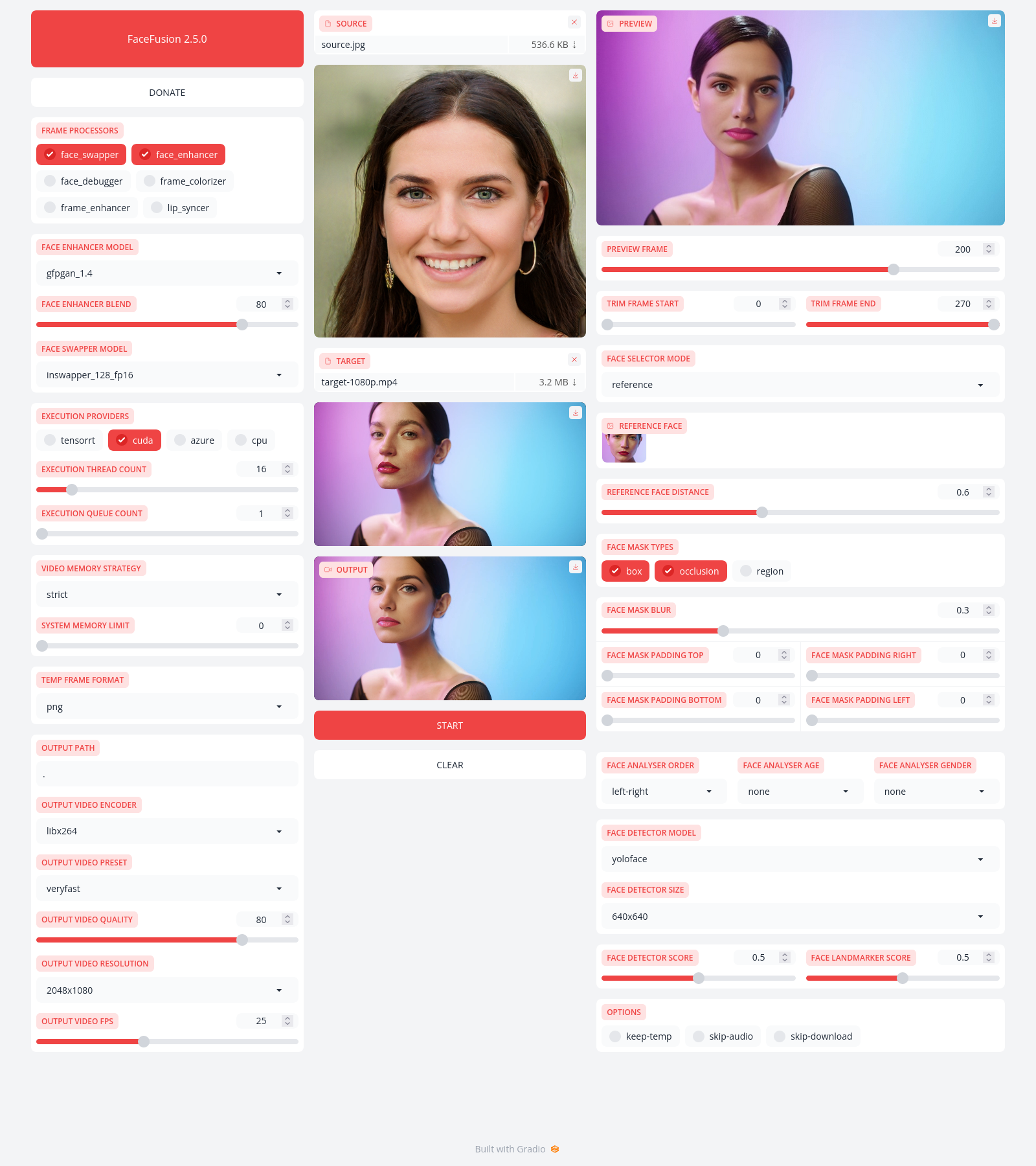
Installation
Be aware, the installation needs technical skills and is not recommended for beginners. In case you are not comfortable using a terminal, our Windows Installer and macOS Installer get you started.
Usage
Run the command:
python facefusion.py [commands] [options]

options:
  -h, --help                                      show this help message and exit
  -v, --version                                   show program's version number and exit

commands:
    run                                           run the program
    headless-run                                  run the program in headless mode
    batch-run                                     run the program in batch mode
    force-download                                force automate downloads and exit
    benchmark                                     benchmark the program
    job-list                                      list jobs by status
    job-create                                    create a drafted job
    job-submit                                    submit a drafted job to become a queued job
    job-submit-all                                submit all drafted jobs to become a queued jobs
    job-delete                                    delete a drafted, queued, failed or completed job
    job-delete-all                                delete all drafted, queued, failed and completed jobs
    job-add-step                                  add a step to a drafted job
    job-remix-step                                remix a previous step from a drafted job
    job-insert-step                               insert a step to a drafted job
    job-remove-step                               remove a step from a drafted job
    job-run                                       run a queued job
    job-run-all                                   run all queued jobs
    job-retry                                     retry a failed job
    job-retry-all                                 retry all failed jobs
Documentation
Read the documentation for a deep dive.
Releases
Release information has not been added yet.
Complete your AI stack
Add complementary AI tools for the rest of your workflow.
More recommendations will appear here as matching tools are published.
Best alternatives
Compare similar tools in the same category.




