
Pricing
Pricing information has not been added yet.
Overview
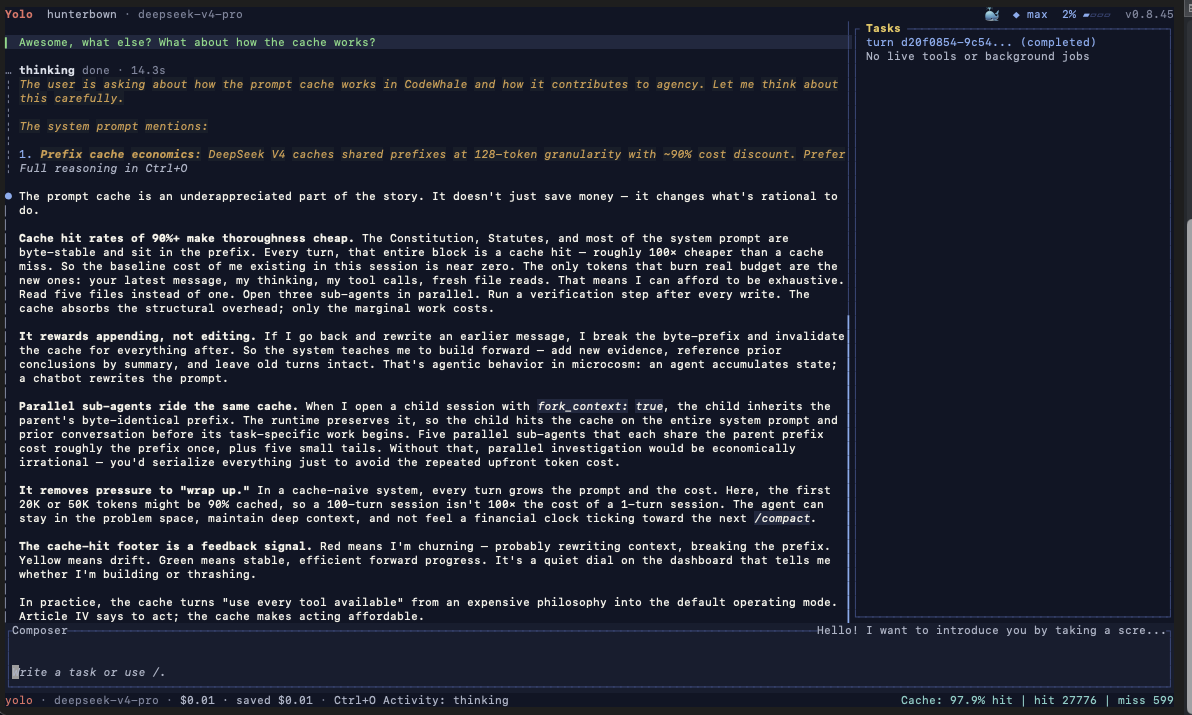
CodeWhale is an open-source coding agent for the terminal that lets developers bring their own AI model or provider. Given a task, it can inspect a codebase, edit files, run commands, verify its work, and continue until the task is complete or human input is required. The project was originally built around DeepSeek but has evolved toward a provider-neutral coding harness that supports both open and hosted models without giving one vendor privileged treatment.
Written in Rust and designed to run locally, CodeWhale can be used interactively through a terminal UI or non-interactively in scripts and CI pipelines. Developers can switch models during a task and integrate the agent into existing command-line workflows rather than moving to a dedicated AI IDE. It is especially appealing to users who want an open, model-flexible alternative to proprietary coding agents while retaining control over execution on their own machine.
README
Codewhale
An open source coding agent for your terminal — bring your own model.
Codewhale started as a native experience for DeepSeek. It has since grown into a community-driven project: one coding harness that fits a growing international community and supports as many models and providers as possible — open models first, hosted or local, none privileged over the rest.
Give it a provider, a model, and a task. It reads your code, edits files, runs
commands, and checks its own work, then stops when the job is done or it needs
you. Switch models mid-task with /model. Work interactively in the TUI, or run
codewhale exec in scripts and CI. It's written in Rust, licensed MIT, and runs
on your machine.
We're always looking for contributors and ways to improve. If a model or provider you use is missing, or something breaks, telling us is one of the most useful things you can do — see Contributing.
简体中文 · 日本語 · Tiếng Việt · Bahasa Indonesia · 한국어 · Español · Português · Русский · Українська · codewhale.net · Docs · Changelog · Discord




Install
npm install -g codewhale
Cargo, Docker, Nix, Scoop, prebuilt archives, Android/Termux, and a CNB mirror
for anyone who can't reach GitHub are covered in
docs/INSTALL.md. Coming from deepseek-tui? Your config and
sessions carry over — see docs/REBRAND.md.
Use
codewhale auth set --provider deepseek   # or export ANTHROPIC_API_KEY, etc.
codewhale                                # open the TUI
codewhale exec "fix the failing test"    # headless
codewhale web                            # local browser client on 127.0.0.1
In the TUI: /model switches provider and model together, /fleet runs a team
of workers, /undo reverts the last turn, and /restore <N> rolls the
workspace back to an earlier snapshot (bare /restore lists them). Tab
cycles Plan / Act / Operate when the composer is empty — with text in it, Tab
completes slash commands and @ mentions instead. Shift+Tab cycles the
Ask / Auto-Review / Full Access permission posture at any time. ! runs a
shell command through the normal approval path.
What it does
- Any model, any provider. DeepSeek, Claude, GPT, Kimi, GLM, and 30+ providers, plus your own vLLM, SGLang, or Ollama with no key — all through one runtime and one toolset. Context limits and prices come from the real route, and an unknown price shows as unknown rather than $0.
- Read-only until you allow more. Plan mode can't change files, and
approvals gate risky commands. When an OS sandbox actually wraps a command,
Codewhale says so: Seatbelt on macOS where available, opt-in bubblewrap on
Linux. A repo's
constitution.jsoncompiles into write holds that even Full Access can't skip. - Work you can resume. A fleet records every step to an append-only ledger,
so
fleet resumepicks up where you left off.
Learn more
- docs/PROVIDERS.md — every provider route: hosted, gateway, and local
- docs/FLEET.md — fleets, the ledger, and resume
- docs/WORKFLOW_EXPERIMENTAL_SEARCH.md — frozen, provider-neutral experimental search within Workflow
- docs/CONFIGURATION.md —
config.toml, hooks, and the constitution - docs/AUTHORIZATION_ORDER.md — how modes, hooks, permission rules, safety floors, repo law, approvals, and sandboxing compose
- docs/HOOKS.md — the eleven TUI lifecycle hook events, their
payloads, and which three of them can steer a turn (
codewhale execand the CLI subcommands do not fire hooks) - docs/WEB.md — the loopback-only browser client and its one-time authentication boundary
Everything else — modes, keybindings, sandbox details, MCP, the runtime API, and architecture — lives in docs and on codewhale.net.
Contributing
Issues, PRs, repro steps, logs, and feature requests are all real project work, and first contributions are welcome. When a PR can't merge as-is, maintainers harvest what works and keep the author credited — in the commit, the changelog, and docs/CONTRIBUTORS.md.
- Open issues — good first contributions live here
- CONTRIBUTING.md — dev setup and PR flow
- docs/CONTRIBUTORS.md — everyone who has shaped this
- Buy me a coffee
Thanks to DeepSeek for the models and support that started the project, DataWhale 🐋 for welcoming us into the Whale Brother family, and OpenWarp and Open Design for collaborating on the terminal-agent experience.
License
MIT. An independent community project, not affiliated with any model provider.
Releases
Release information has not been added yet.
Complete your AI stack
Combine coding assistance with models, automation, app building, and monitoring.


Best alternatives
Compare similar tools in the same category.




