
Pricing
$0
Freemium
Overview
Try browser-harness in Browser Use Cloud or paste the setup prompt into your coding agent. Connect an LLM directly to your real browser through one editable CDP websocket. The agent writes missing helpers as it works, so the harness improves with every task.
The README highlights capabilities such as install.md connects the agent to your browser, SKILL.md teaches it the browser workflow, and src/browser harness/ stays protected while the agent writes reusable helpers in its local workspace.
README

Browser Harness ♞
Connect an LLM directly to your real browser through one editable CDP websocket. The agent writes missing helpers as it works, so the harness improves with every task.
Try browser-harness in Browser Use Cloud or paste the setup prompt into your coding agent.
  ● agent: wants to upload a file
  │
  ● agent-workspace/agent_helpers.py → helper missing
  │
  ● agent writes it                         agent_helpers.py
  │                                                       + custom helper
  ✓ file uploaded
You will never use the browser again.
See it work
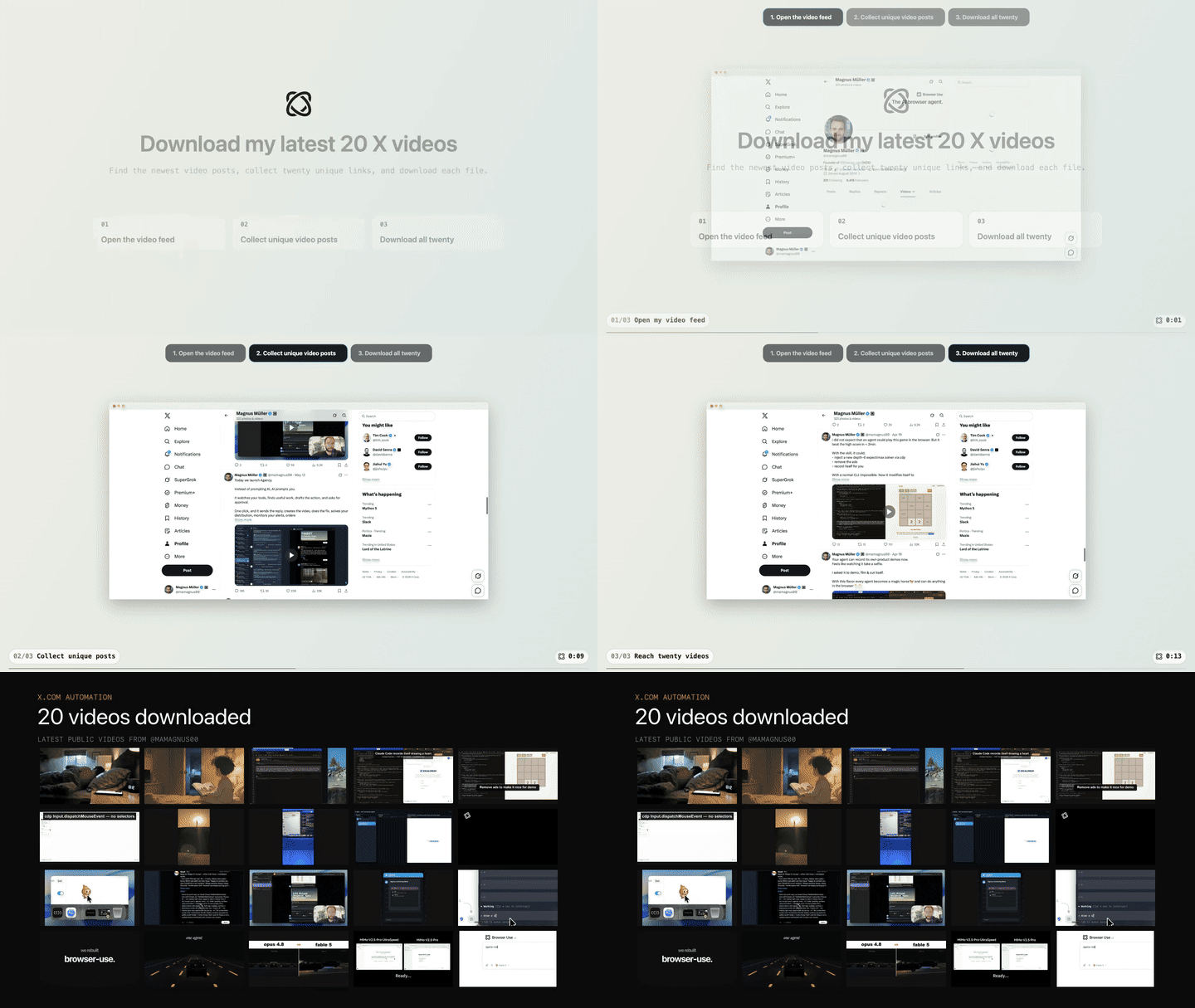
Task: "Open my X profile, find my latest 20 video posts, and download them."
Setup prompt
Paste into Claude Code or Codex:
Install or upgrade browser-harness to the latest stable version with uv using Python 3.12, register the skill from `browser-harness skill`, and connect it to my browser. Ask whether I want local browser recordings enabled; default to no and preserve my existing preference on upgrades. Follow https://github.com/browser-use/browser-harness/blob/main/install.md if setup or connection fails.
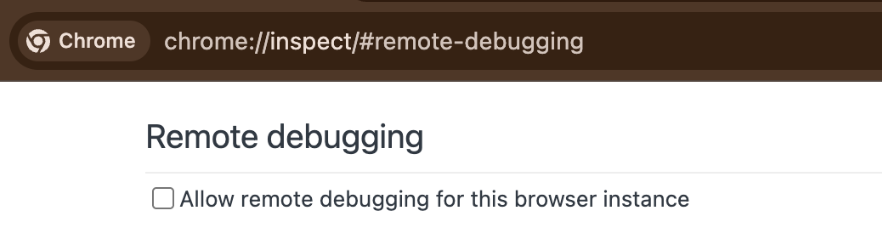
The agent will open chrome://inspect/#remote-debugging. On first setup, tick
the checkbox so the agent can connect to your browser:
How it works
install.mdconnects the agent to your browser.SKILL.mdteaches it the browser workflow.src/browser_harness/stays protected while the agent writes reusable helpers in its local workspace.
Scale with Browser Use Cloud
Use your local browser for logged-in, personal work. When you want many browsers in parallel—with live previews, proxies, stealth, CAPTCHA solving, and more—scale with Browser Use Cloud.
Contributing
Bug fixes, documentation improvements, and agent-generated domain skills are welcome. See CONTRIBUTING.md.
The Bitter Lesson of Agent Harnesses · Web Agents That Actually Learn
Releases
Release information has not been added yet.
Related articles
Guides and news that mention this tool.

AI Agents in Zapier vs Make vs n8n: Which Is Best?
What Is n8n? The Open-Source Workflow Automation Tool Explained
AI Email Labeling in Gmail with OpenAI
AI WhatsApp Customer Support Agent

Build a RAG Chatbot over Your Google Drive Documents

Build an AI Assistant on Telegram (Voice + Text) with n8n
Complete your AI stack
Add a general assistant, research, coding, monitoring, and team productivity to your automations.


Best alternatives
Compare similar tools in the same category.



