
Pricing
Pricing information has not been added yet.
Overview
AI Website Cloner Template is an open-source starter project that lets an AI coding agent recreate a website from a URL as a clean Next.js application. The workflow is designed to give an agent a repeatable process for inspecting an existing site, reproducing its visual structure, and generating an editable codebase rather than merely taking a screenshot.
The template is optimized for agentic coding tools, with Claude Code recommended in the README and support for alternatives such as Codex, Cursor, and Gemini. It includes project instructions and a dedicated cloning workflow so compatible agents can follow a structured procedure and then continue modifying the generated site.
The project is useful for rapid prototyping, design recreation, migration experiments, and learning how AI agents can translate an existing web experience into source code. Because the result is a normal Next.js project, developers can continue refining components, content, responsiveness, and functionality after the initial clone is produced.
README
AI Website Cloner Template
Clone any website with one command
Give your AI coding agent a URL and watch it recreate the website as a clean Next.js app.
Best results with Claude Code + Opus 5. Works with Codex, Cursor, Gemini, and more.


Quick Start · Watch Demo · Supported Platforms


Demo
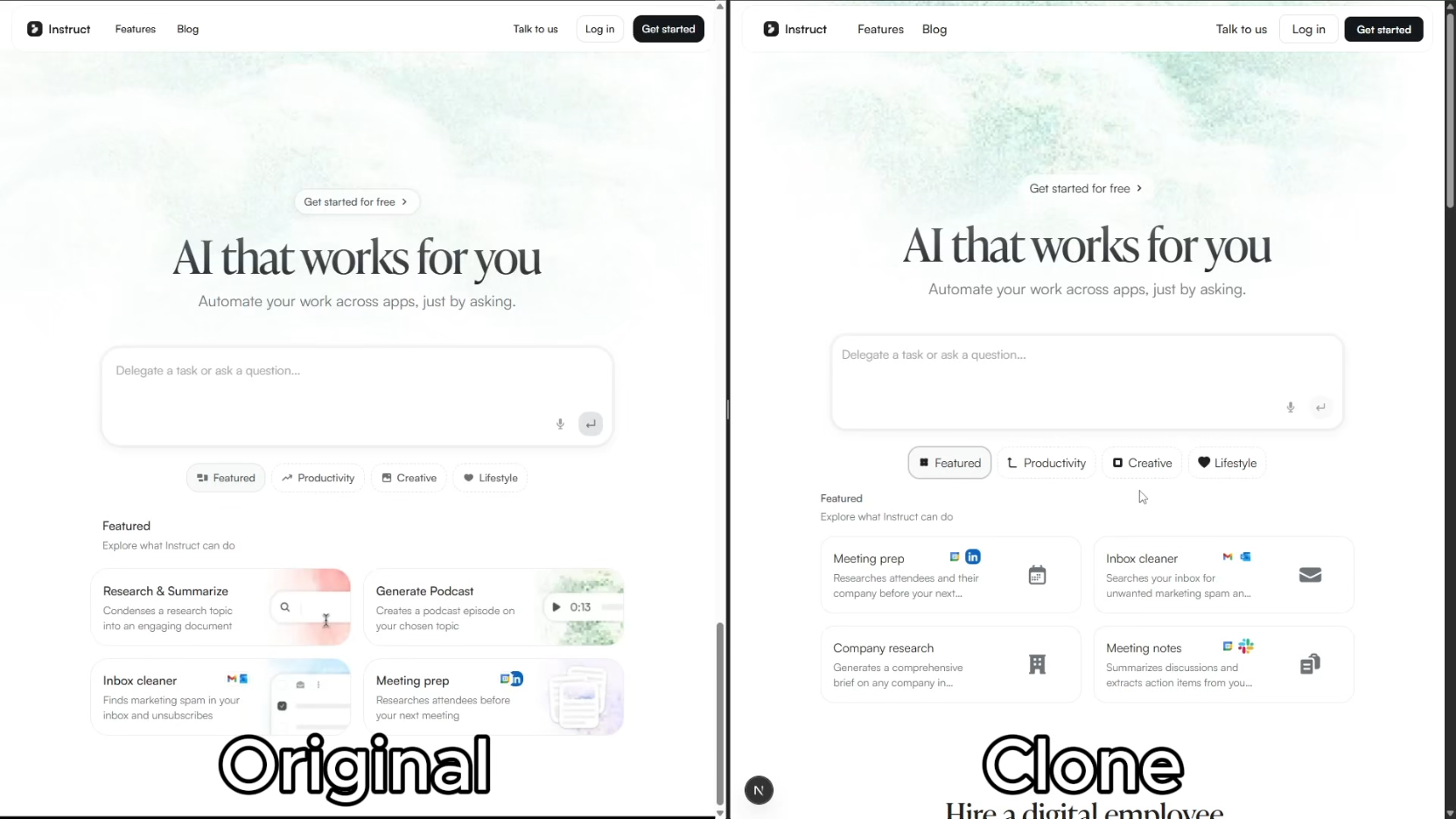
Click the image above to watch the full demo on YouTube.
Quick Start
Important: Start by making your own copy with GitHub's Use this template button. Do not clone this template repository directly for your website project, and do not open pull requests here with your generated website.
-
Create your own repository from this template
On the GitHub page for this project, click Use this template, then click Create a new repository.
Give your new repository a name, choose whether it should be public or private, then click Create repository. If GitHub shows an Include all branches option, you can leave it off.
This gives you your own separate project to work in, so your website changes stay in your account instead of coming back to the main template.
-
Open your new repository on your computer
After GitHub creates your copy, open that new repository. Click Code and open or clone your new repository with your preferred coding tool.
If you use the terminal, the command will look like this:
git clone https://github.com/YOUR-USERNAME/YOUR-NEW-REPOSITORY.git cd YOUR-NEW-REPOSITORY -
Install dependencies
npm install -
Start your AI agent — Claude Code recommended:
claude --chrome -
Run the skill:
/clone-website <target-url1> [<target-url2> ...] -
Customize (optional) — after the base clone is built, modify as needed
Most supported clients expose
/clone-websitedirectly. If your client activates skills from natural-language requests, enterClone <target-url> using the clone-website workflow. Project instructions are inAGENTS.md.
Supported Platforms
| Agent | Status |
|---|---|
| Claude Code | Recommended — Opus 5 |
| Codex CLI | Supported |
| OpenCode | Supported |
| GitHub Copilot | Supported |
| Kiro | Supported |
| Cursor | Supported |
| Windsurf | Supported |
| Gemini CLI | Supported |
| Cline | Supported |
| Roo Code | Supported |
| Continue | Supported |
| Amazon Q | Supported |
| Augment Code | Supported |
Prerequisites
- Node.js 24+
- An AI coding agent (see Supported Platforms)
Tech Stack
- Next.js 16 — App Router, React 19, TypeScript strict
- shadcn/ui — Radix primitives + Tailwind CSS v4
- Tailwind CSS v4 — oklch design tokens
- Lucide React — default icons (replaced by extracted SVGs during cloning)
How It Works
The /clone-website skill runs a multi-phase pipeline:
flowchart LR
    P1["1. Reconnaissance"] --> P2["2. Foundation"]
    P2 --> P3["3. Component Specs"]
    P3 --> P4["4. Parallel Build"]
    P4 --> P5["5. Assembly and QA"]
- Reconnaissance — screenshots, design token extraction, interaction sweep (scroll, click, hover, responsive)
- Foundation — updates fonts, colors, globals, downloads all assets
- Component Specs — writes detailed spec files (
docs/research/components/) with exact computed CSS values, states, behaviors, and content - Parallel Build — dispatches builder agents in git worktrees, one per section/component
- Assembly & QA — merges worktrees, wires up the page, runs visual diff against the original
Each builder agent receives the full component specification inline — exact getComputedStyle() values, interaction models, multi-state content, responsive breakpoints, and asset paths. No guessing.
Use Cases
- Platform migration — rebuild a site you own from WordPress/Webflow/Squarespace into a modern Next.js codebase
- Lost source code — your site is live but the repo is gone, the developer left, or the stack is legacy. Get the code back in a modern format
- Learning — deconstruct how production sites achieve specific layouts, animations, and responsive behavior by working with real code
Not Intended For
- Phishing or impersonation — this project must not be used for deceptive purposes, impersonation, or any activity that breaks the law.
- Passing off someone's design as your own — logos, brand assets, and original copy belong to their owners.
- Violating terms of service — some sites explicitly prohibit scraping or reproduction. Check first.
Project Structure
src/
  app/              # Next.js routes
  components/       # React components
    ui/             # shadcn/ui primitives
    icons.tsx       # Extracted SVG icons
  lib/utils.ts      # cn() utility
  types/            # TypeScript interfaces
  hooks/            # Custom React hooks
public/
  images/           # Downloaded images from target
  videos/           # Downloaded videos from target
  seo/              # Favicons, OG images
docs/
  research/         # Extraction output & component specs
  design-references/ # Screenshots
scripts/
  sync-agent-rules.sh  # Regenerate agent instruction files
  sync-skills.mjs      # Regenerate /clone-website for all platforms
.kiro/skills/          # Generated Kiro workspace skill
.cline/skills/         # Generated Cline workspace skill
.roo/skills/           # Generated Roo Code workspace skill
.roo/commands/         # Generated Roo Code slash command
AGENTS.md           # Agent instructions (single source of truth)
CLAUDE.md           # Claude Code config (imports AGENTS.md)
GEMINI.md           # Gemini CLI config (imports AGENTS.md)
Commands
npm run dev    # Start dev server
npm run build  # Production build
npm run lint   # ESLint check
npm run typecheck # TypeScript check
npm run check  # Run lint + typecheck + build
If using docker
docker compose up app --build # build and run the app
docker compose up dev --build # run the app in dev mode on port 3001
Updating for Other Platforms
Two source-of-truth files power all platform support. Edit the source, then run the sync script:
| What | Source of truth | Sync command |
|---|---|---|
| Project instructions | AGENTS.md | bash scripts/sync-agent-rules.sh |
/clone-website skill | .claude/skills/clone-website/SKILL.md | node scripts/sync-skills.mjs |
Each script regenerates the platform-specific copies automatically. Agents that read the source files natively need no regeneration.
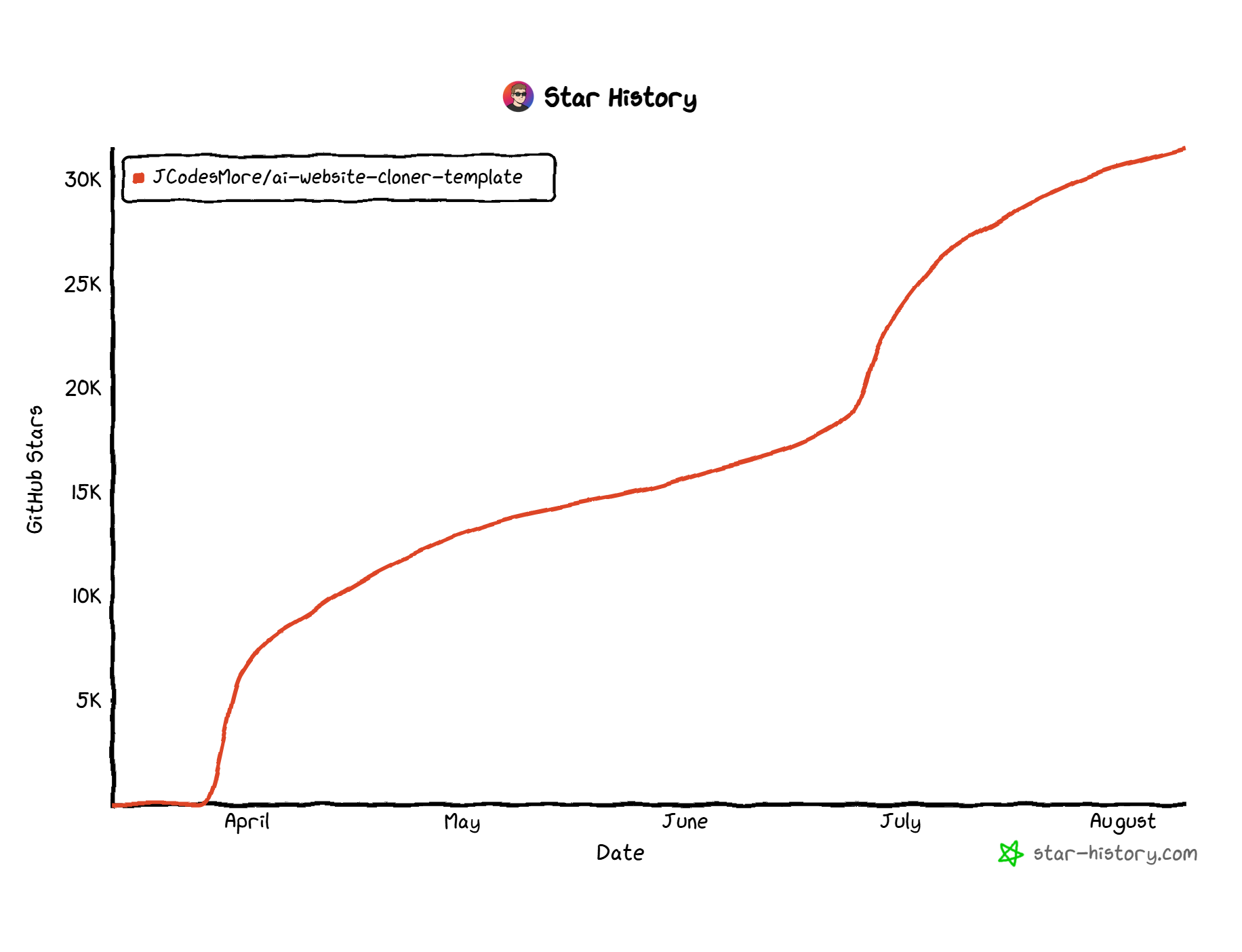
Star History
License
MIT
Translations: 日本語 · Simplified Chinese
Releases
Release information has not been added yet.
Complete your AI stack
Add a general assistant, research, coding, monitoring, and team productivity to your automations.



Best alternatives
Compare similar tools in the same category.



