AI Compare
​
​
ToolsArticlesServices
Best for
    All tools

    Sales

    AI tools for finding leads, qualifying them, preparing quotes, following up and keeping the CRM up to date.

    Marketing

    AI tools for content, social media, images, video, SEO and campaigns.

    Customer service

    AI tools for answering customer emails, chats and calls, handling requests and escalating the hard cases.

    Operations

    AI tools for running the daily work: workflows, scheduling, projects, purchasing and delivery.

    Finance

    AI tools for invoices, bookkeeping, reconciliation, spreadsheets and financial reporting.

    Management & Admin

    AI tools for owners, managers and office staff: planning, reports, documents, meetings, scheduling and everyday admin.

    HR

    AI tools for hiring, screening candidates, onboarding, training and answering employee questions.

    Legal & Compliance

    AI tools for reviewing contracts, tracking deadlines and preparing compliance work for a qualified person to check.

    IT & Development

    AI tools for developers and IT teams: coding, AI models, agents, infrastructure and integrations.

Find AI tools for your team
AllAssistantsWriting & DocsImagesVideoAudioAI AgentsAutomationCode
← Back to tools

•

2025-05-15

PandaWiki logo

PandaWiki

Not rated yet

10K GitHub stars

Type:

Tool

Platforms:

Github

Task:

Write contentSearch knowledge basesChat with AISummarize content

Best for:

MarketingCustomer serviceOperationsManagement & Admin
Visit websiteView on GitHub

Pricing


Starting price

$0

Type

Freemium

Overview

PandaWiki is an open-source knowledge base system powered by large language models. It helps users quickly build intelligent product documentation, technical documentation, FAQs, and blog systems, while providing AI-assisted writing, question answering, and search. Installation requires a Linux system with Docker 20.x or later.

The README highlights AI-assisted content creation, Q&A, and search; a rich-text editor compatible with Markdown and HTML with export to Word, PDF, and Markdown; integrations such as website widgets and chatbots for DingTalk, Feishu, and WeCom; and content import from web URLs, sitemaps, RSS feeds, and offline files.

README

📖 官方网站   |   🙋‍♂️ 微信交流群

👋 项目介绍

PandaWiki 是一款 AI 大模型驱动的开源知识库搭建系统,帮助你快速构建智能化的 产品文档、技术文档、FAQ、博客系统,借助大模型的力量为你提供 AI 创作、AI 问答、AI 搜索 等能力。
⚡️ 界面展示

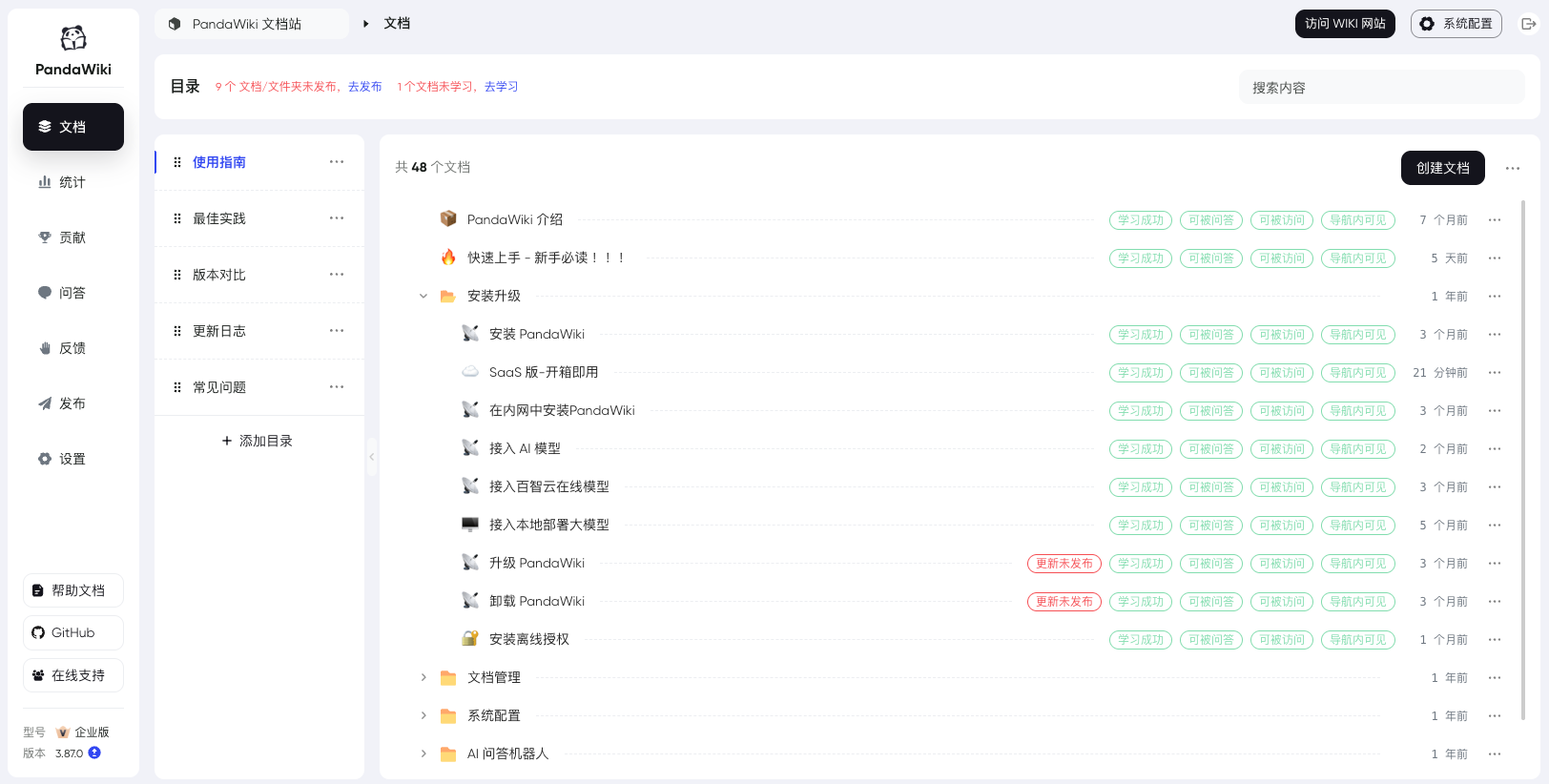
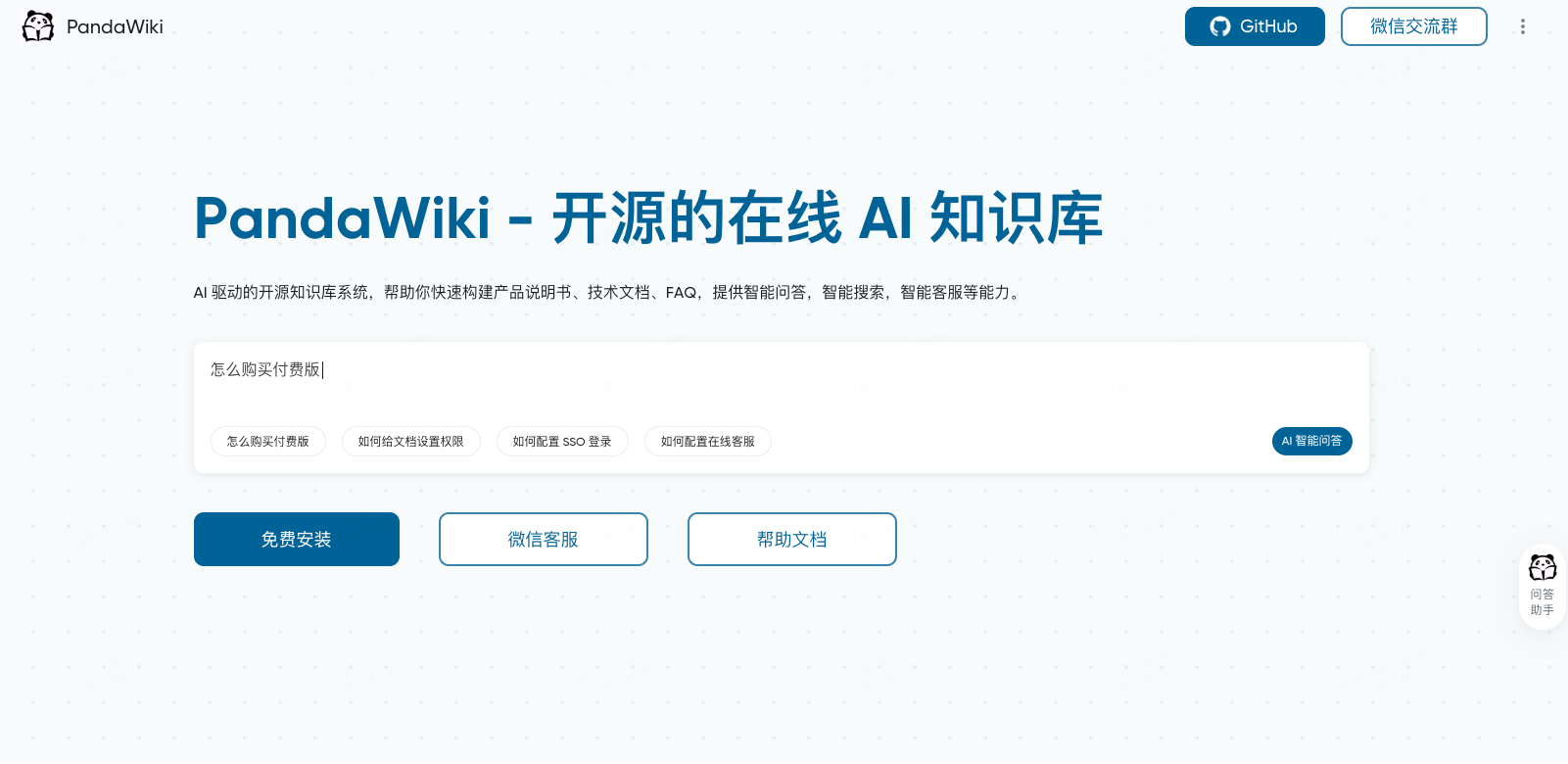
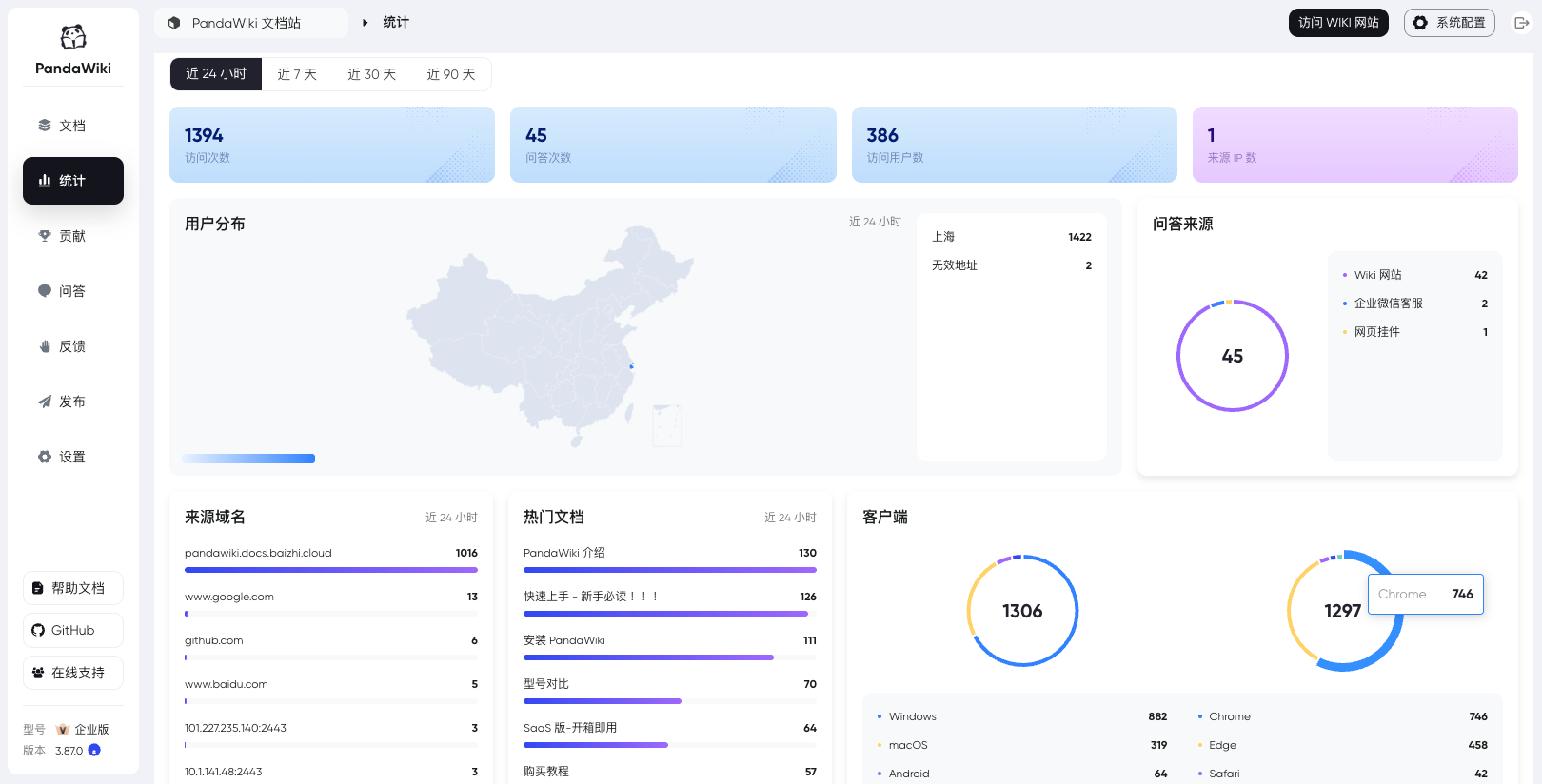
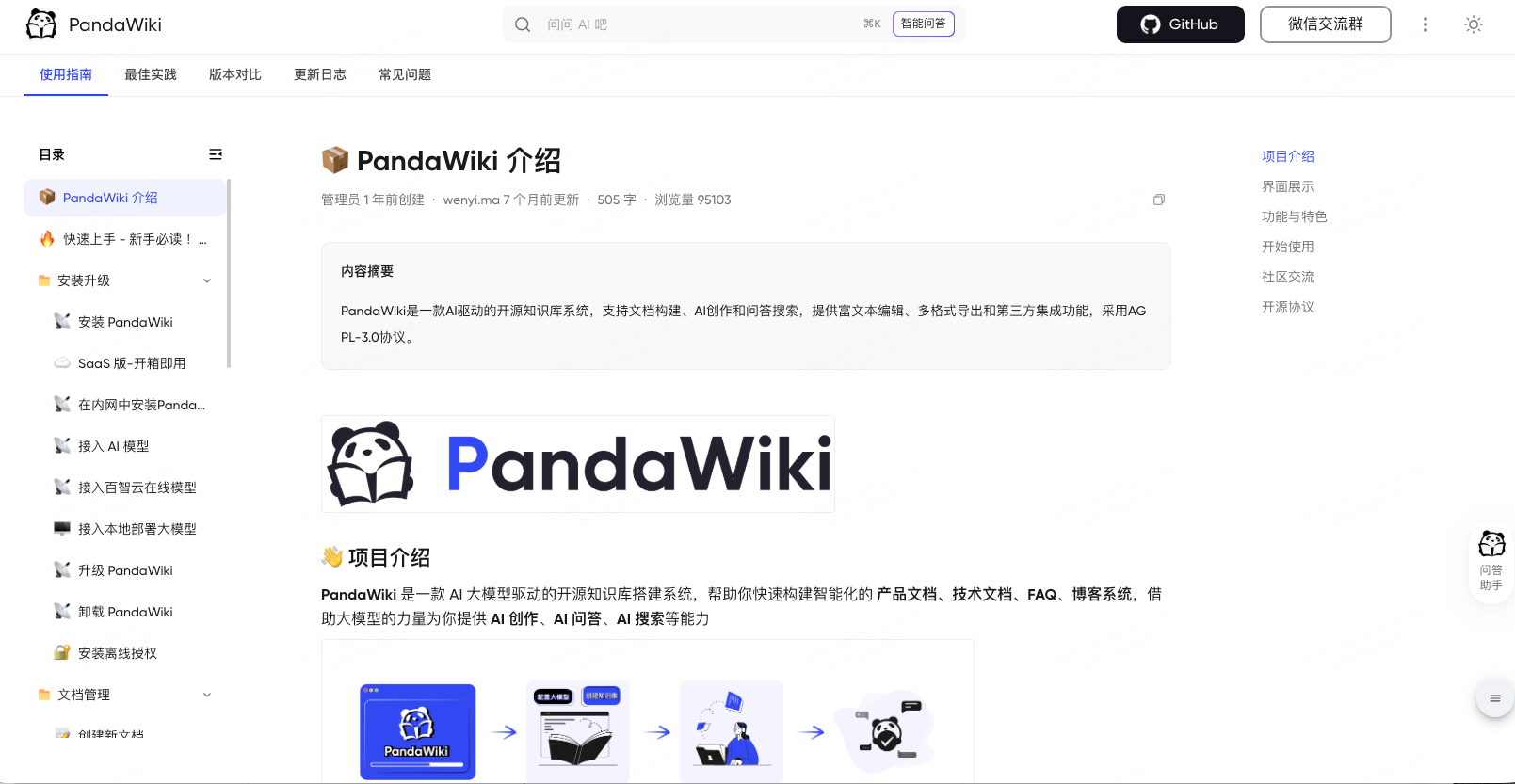
PandaWiki 控制台Wiki 网站前台

🔥 功能与特色

  • AI 驱动智能化:AI 辅助创作、AI 辅助问答、AI 辅助搜索。
  • 强大的富文本编辑能力:兼容 Markdown 和 HTML,支持导出为 word、pdf、markdown 等多种格式。
  • 轻松与第三方应用进行集成:支持做成网页挂件挂在其他网站上,支持做成钉钉、飞书、企业微信等聊天机器人。
  • 通过第三方来源导入内容:根据网页 URL 导入、通过网站 Sitemap 导入、通过 RSS 订阅、通过离线文件导入等。

🚀 上手指南

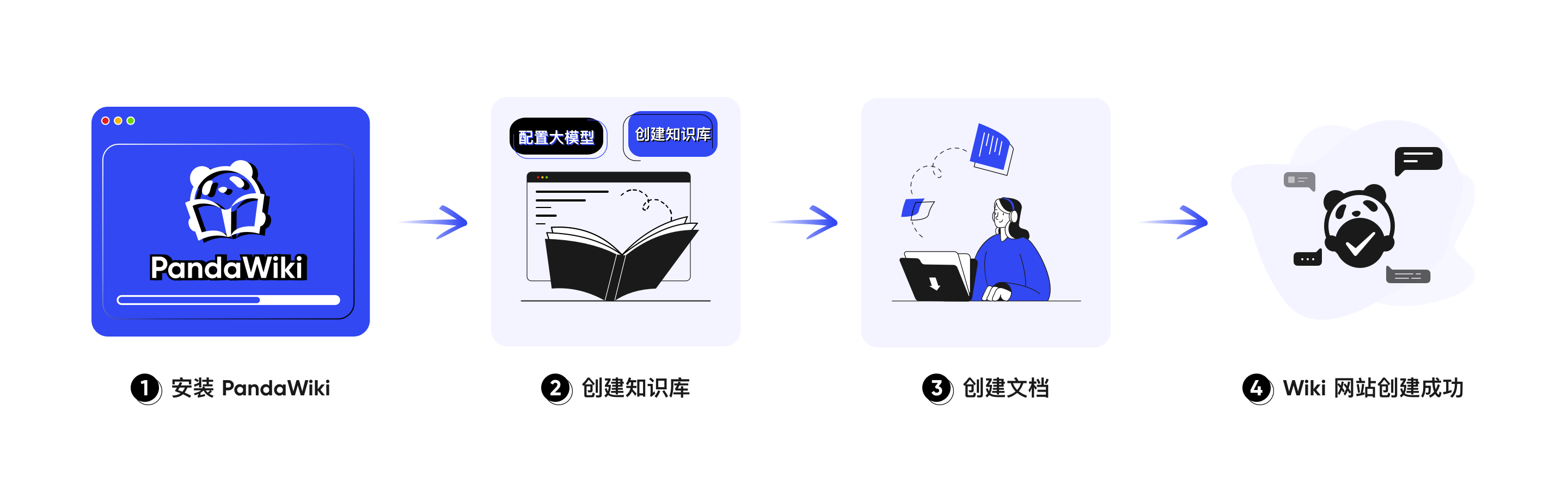
安装 PandaWiki

你需要一台支持 Docker 20.x 以上版本的 Linux 系统来安装 PandaWiki。

使用 root 权限登录你的服务器,然后执行以下命令。

bash -c "$(curl -fsSLk https://release.baizhi.cloud/panda-wiki/manager.sh)"

根据命令提示的选项进行安装,命令执行过程将会持续几分钟,请耐心等待。

关于安装与部署的更多细节请参考 安装 PandaWiki。

登录 PandaWiki

在上一步中,安装命令执行结束后,你的终端会输出以下内容。

SUCCESS  控制台信息:
SUCCESS    访问地址(内网): http://*.*.*.*:2443
SUCCESS    访问地址(外网): http://*.*.*.*:2443
SUCCESS    用户名: admin
SUCCESS    密码: **********************

使用浏览器打开上述内容中的 “访问地址”,你将看到 PandaWiki 的控制台登录入口,使用上述内容中的 “用户名” 和 “密码” 登录即可。

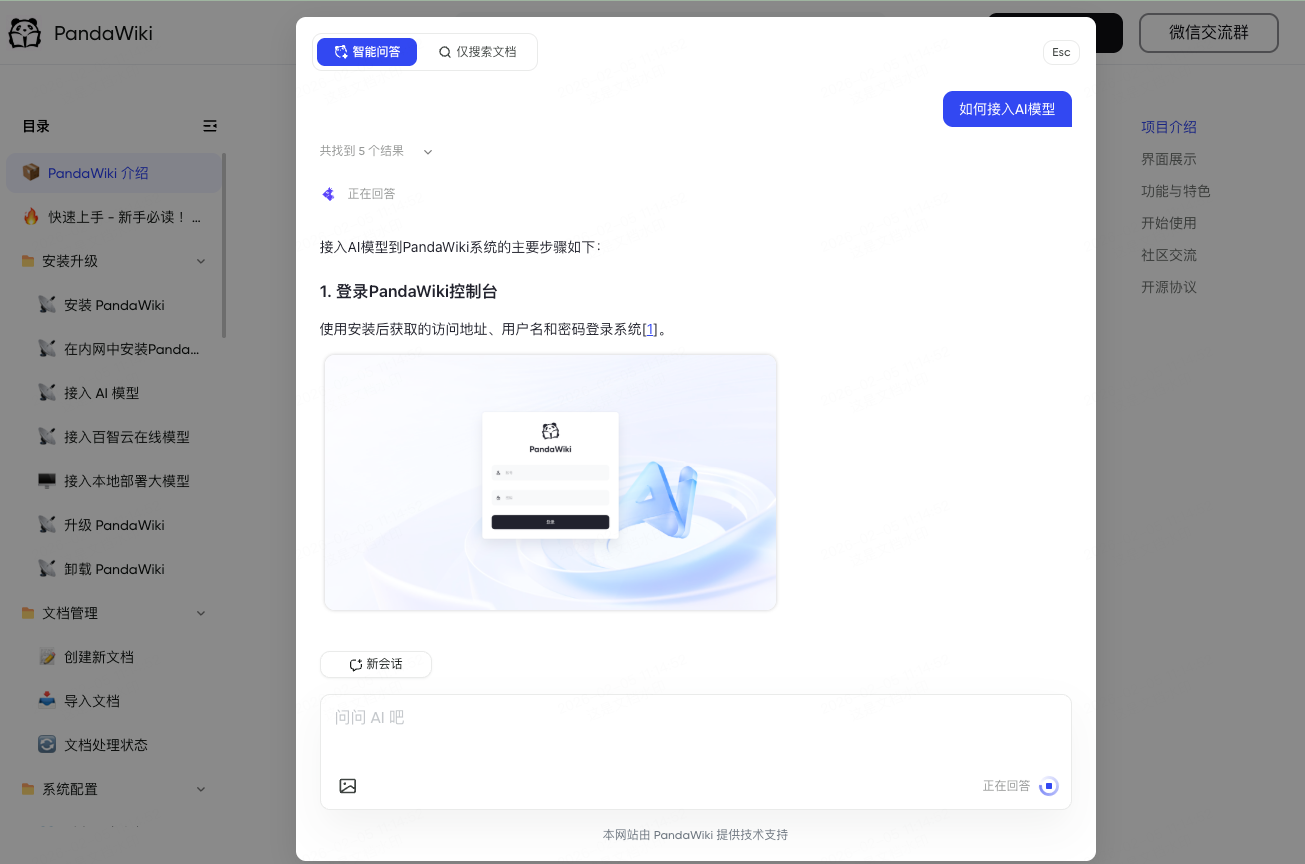
配置 AI 模型

PandaWiki 是由 AI 大模型驱动的 Wiki 系统,在未配置大模型的情况下 AI 创作、AI 问答、AI 搜索 等功能无法正常使用。

首次登录时会提示需要先配置 AI 模型,可自行选择一键配置或手动配置。
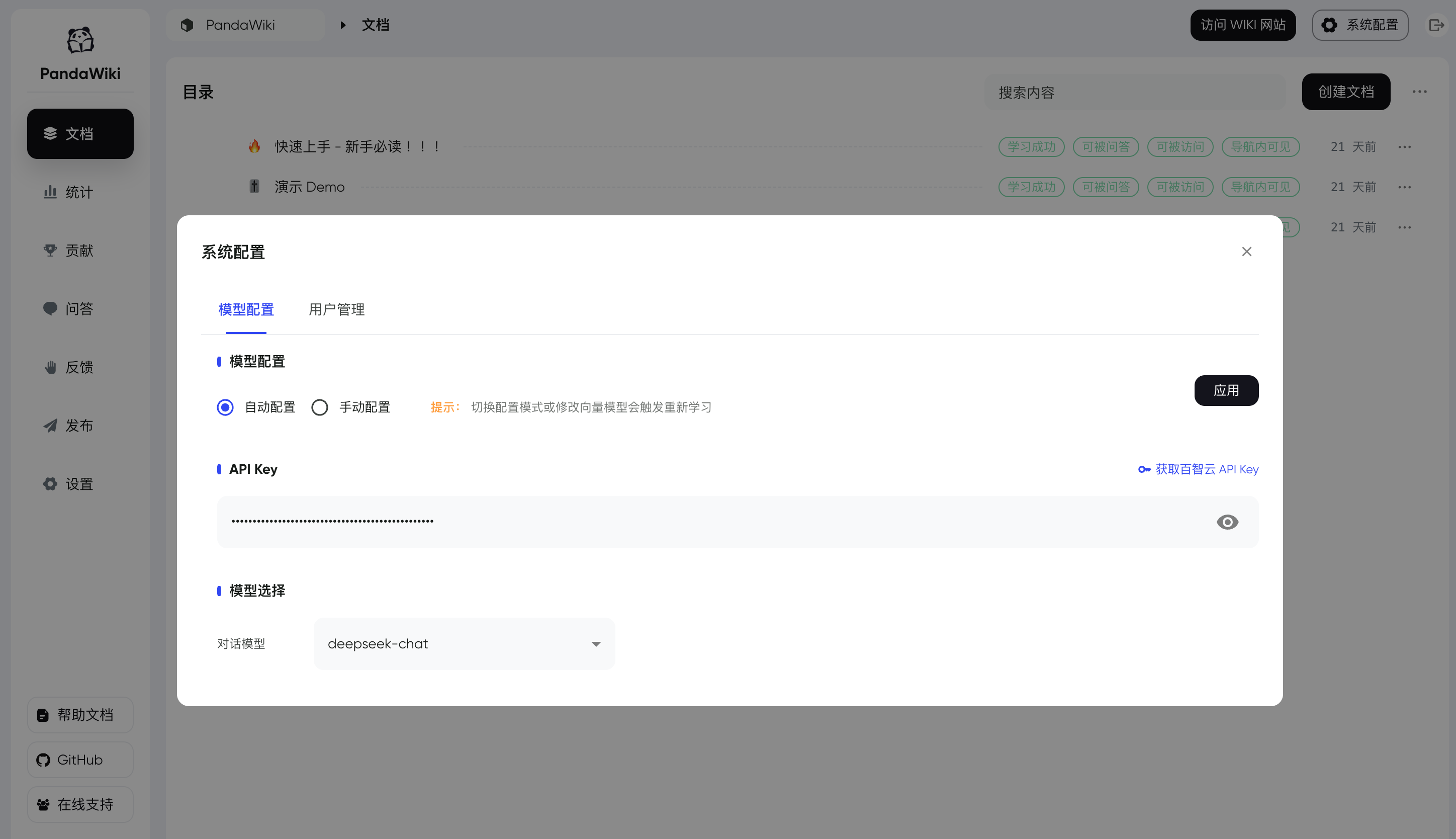
一键自动配置 AI 模型
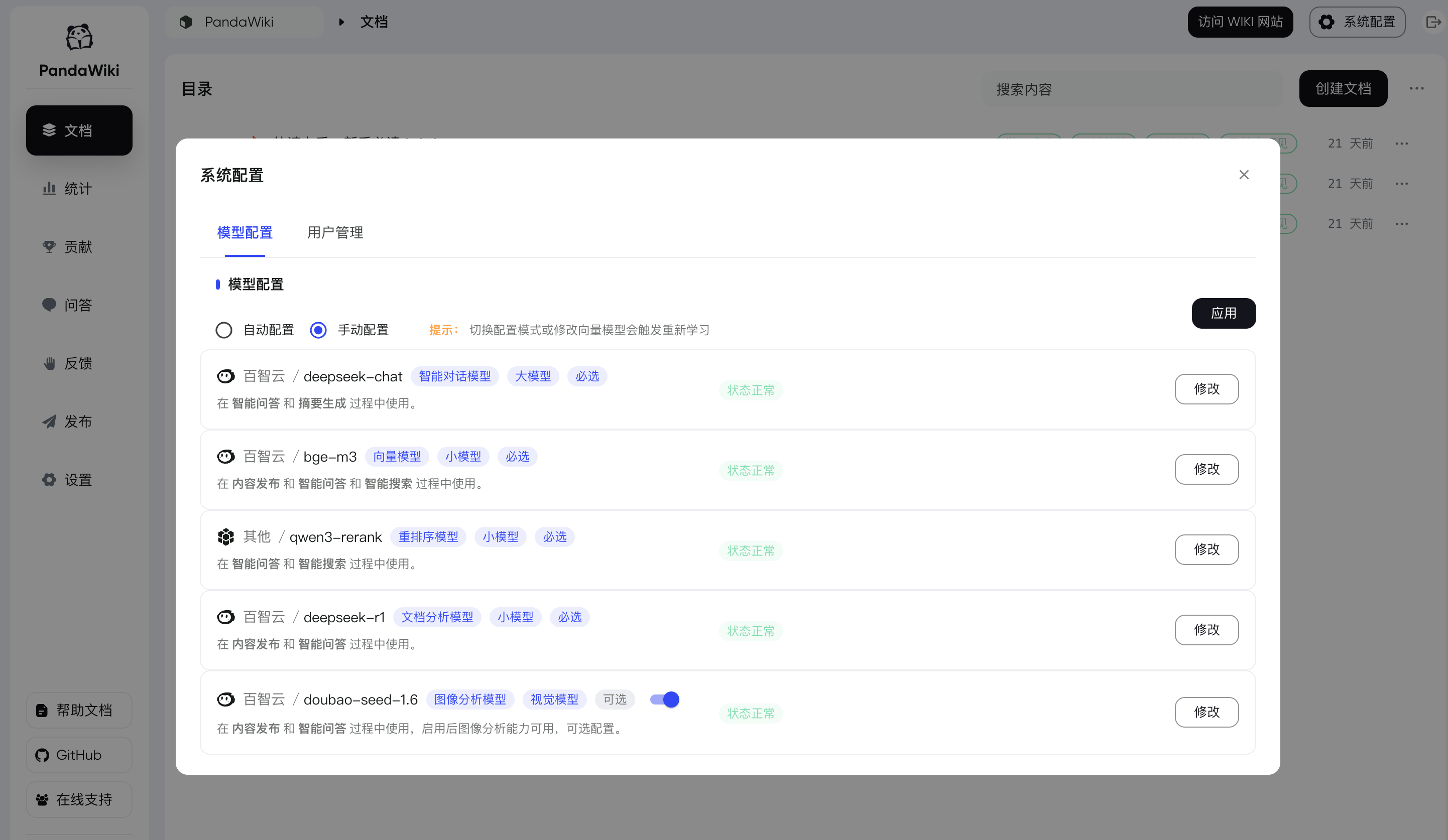
手动自定义配置 AI 模型

推荐使用 百智云模型广场 快速接入 AI 模型,注册即可获赠 5 元的模型使用额度。 关于大模型的更多配置细节请参考 接入 AI 模型。

创建知识库

“知识库” 是一组文档的集合,PandaWiki 将会根据知识库中的文档,为不同的知识库分别创建 “Wiki 网站”。
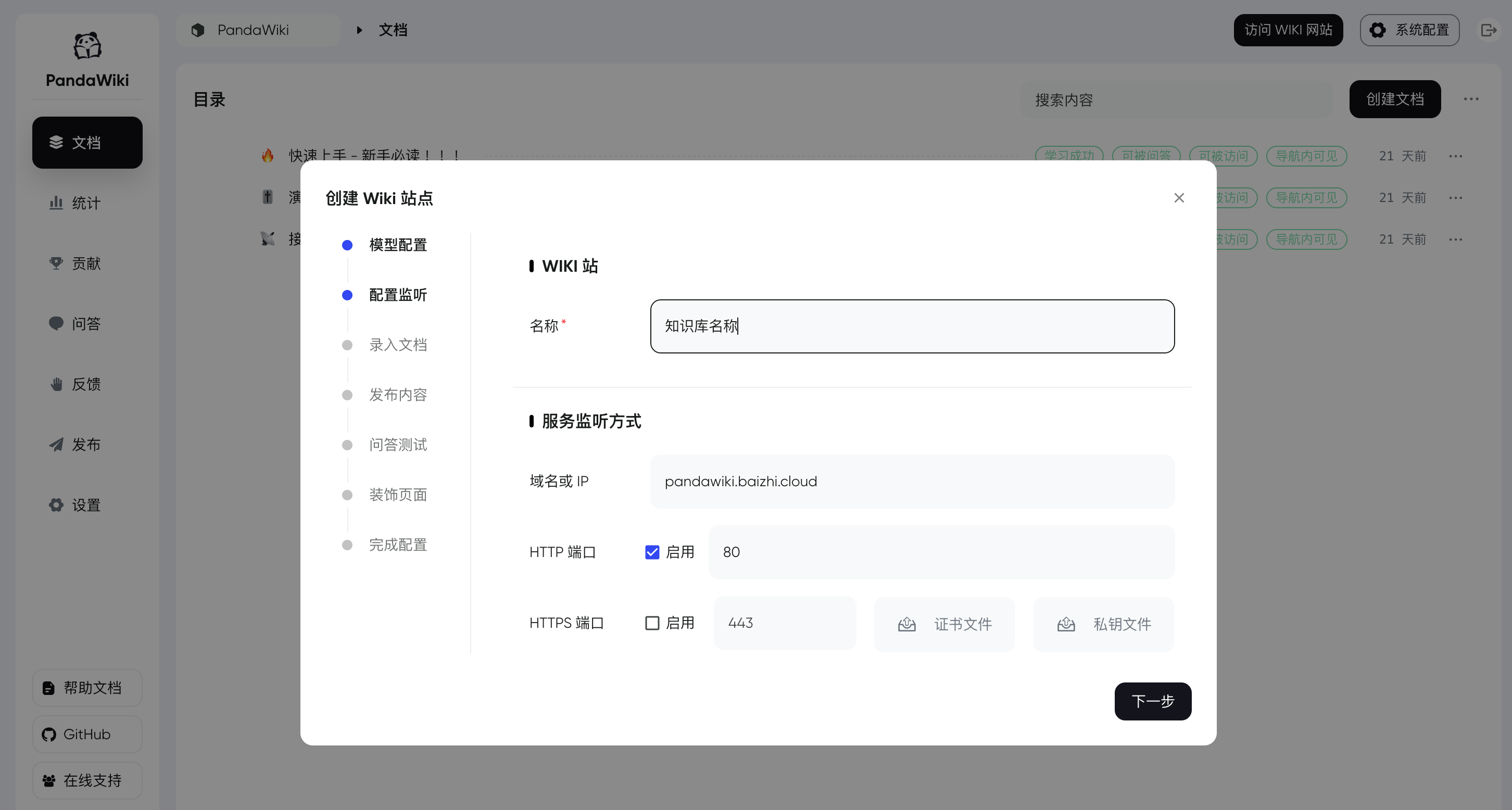
💪 开始使用

如果你顺利完成了以上步骤,那么恭喜你,属于你的 PandaWiki 搭建成功,你可以:

  • 访问 控制台 来管理你的知识库并上传文档等待学习成功
  • 访问 Wiki 网站 使用知识库并测试AI问答效果

💬 遇到问题

如在使用产品过程中遇到问题,可通过以下方式获取帮助:

  • 📘查阅官方文档:常见问题,更多内容请参考文档目录。
  • 🤖不想翻文档?试试 AI 问答,快速获取答案。
  • 🤝加入社区:扫码加入下方企业微信群,与更多用户及官方人员交流经验、获得帮助。

社区交流

欢迎加入我们的微信群进行交流。

🙋‍♂️ 贡献

欢迎提交 Pull Request 或创建 Issue 来帮助改进项目。

📝 许可证

本项目采用 GNU Affero General Public License v3.0 (AGPL-3.0) 许可证。这意味着:

  • 你可以自由使用、修改和分发本软件
  • 你必须以相同的许可证开源你的修改
  • 如果你通过网络提供服务,也必须开源你的代码
  • 商业使用需要遵守相同的开源要求

Star History

Star History Chart

Releases

Release information has not been added yet.

Related articles

Guides and news that mention this tool.

G
n8n logo
Gemini logo

Build a RAG Chatbot over Your Google Drive Documents

Use cases
T
n8n logo
ChatGPT logo

Build an AI Assistant on Telegram (Voice + Text) with n8n

Use cases
W
n8n logo
ChatGPT logo

Build an AI Assistant on WhatsApp (Voice + Text) with n8n

Use cases
G
Z
M

Google Drive and Docs Automation: Generate Documents from Data

Use cases
Complete your AI stack

Add specialist tools for research, coding, visual content, video, and automation.

Perplexity logo
Perplexity
Research

AI-powered search and research assistant

View tool
Cursor logo
Cursor
Coding

AI coding editor and autonomous software development platform

View tool
Midjourney logo
Midjourney
Images

AI image and video generation with advanced personalization

View tool
Runway logo
Runway
Video

AI video generation and creative production platform

View tool
n8n logo
n8n
Automation

Fair-code workflow automation platform with native AI capabilities. Combine visual building with custom code, self-host or cloud, 400+ integrations.

View tool
Best alternatives

Compare similar tools in the same category.

AIWriteBook logo

AIWriteBook

End-to-end AI platform for writing and publishing books.

Gemini logo

Gemini

Google's multimodal AI assistant integrated with Google services

Claude logo

Claude

Long-context AI assistant focused on reasoning and documents

AI Aware logo

AI Aware

AI content detection and verification platform.

Perplexity logo

Perplexity

AI-powered search and research assistant

View all in this category
Help
Pick an answer below
Hi! I can point you to the right tool or guide. What are you looking for?
Browse all articles