Pricing
$0
Freemium
Overview
draw-a-ui is draw a mockup and generate html for it. This is an app that uses tldraw and the gpt-4-vision api to generate html based on a wireframe you draw. The spiritual successor to this project is Terragon Labs.
Disclaimer: This is a demo and is not intended for production use. It doesn't have any auth so you will go broke if you deploy it.
README
draw-a-ui
This is an app that uses tldraw and the gpt-4-vision api to generate html based on a wireframe you draw.
The spiritual successor to this project is Terragon Labs.
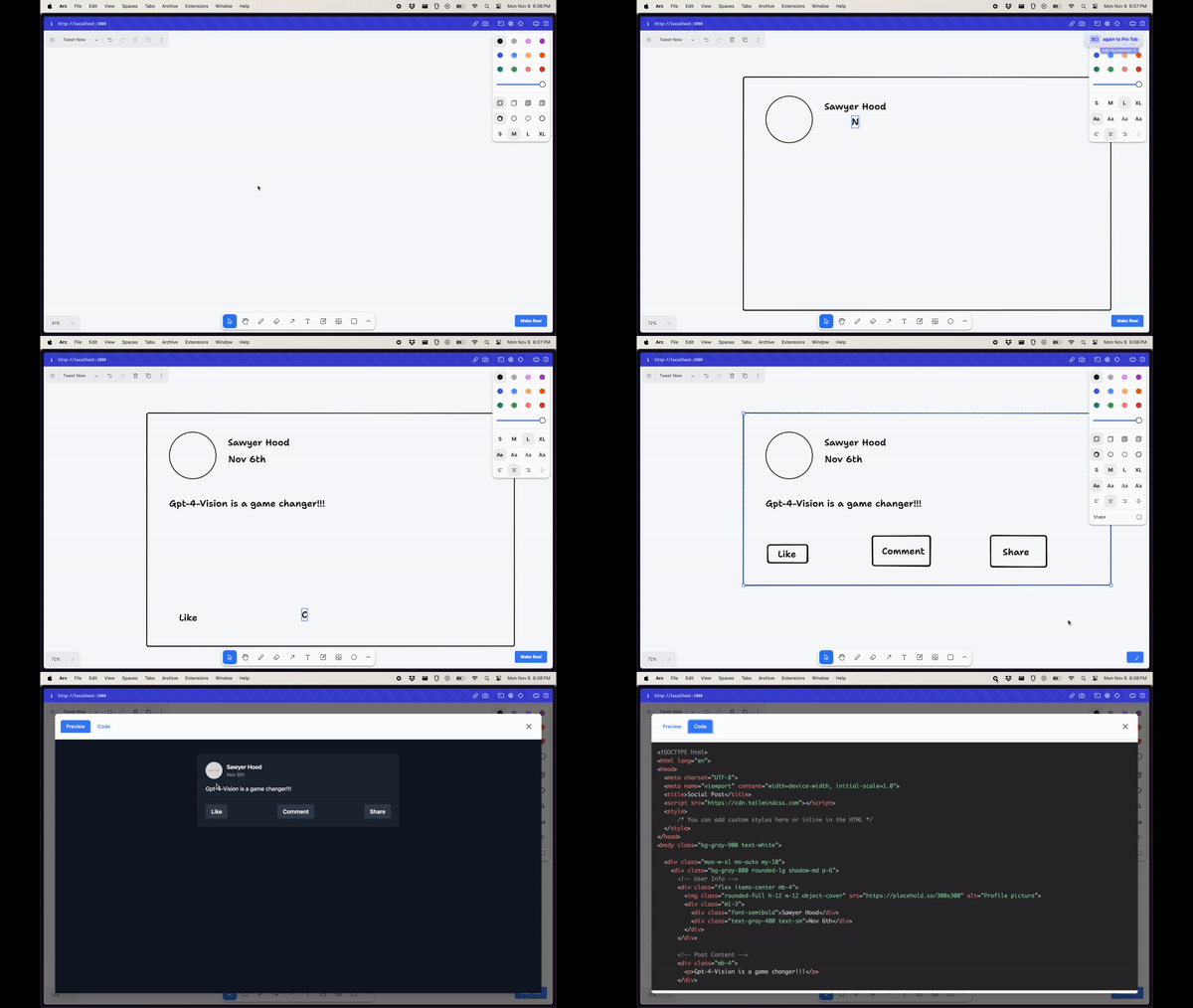
This works by just taking the current canvas SVG, converting it to a PNG, and sending that png to gpt-4-vision with instructions to return a single html file with tailwind.
Disclaimer: This is a demo and is not intended for production use. It doesn't have any auth so you will go broke if you deploy it.
Getting Started
This is a Next.js app. To get started run the following commands in the root directory of the project. You will need an OpenAI API key with access to the GPT-4 Vision API.
Note this uses Next.js 14 and requires a version of
nodegreater than 18.17. Read more here.
echo "OPENAI_API_KEY=sk-your-key" > .env.local
npm install
npm run dev
Open http://localhost:3000 with your browser to see the result.
Releases
Release information has not been added yet.
Complete your AI stack
Add complementary AI tools for the rest of your workflow.
More recommendations will appear here as matching tools are published.
Best alternatives
Compare similar tools in the same category.