

Overview
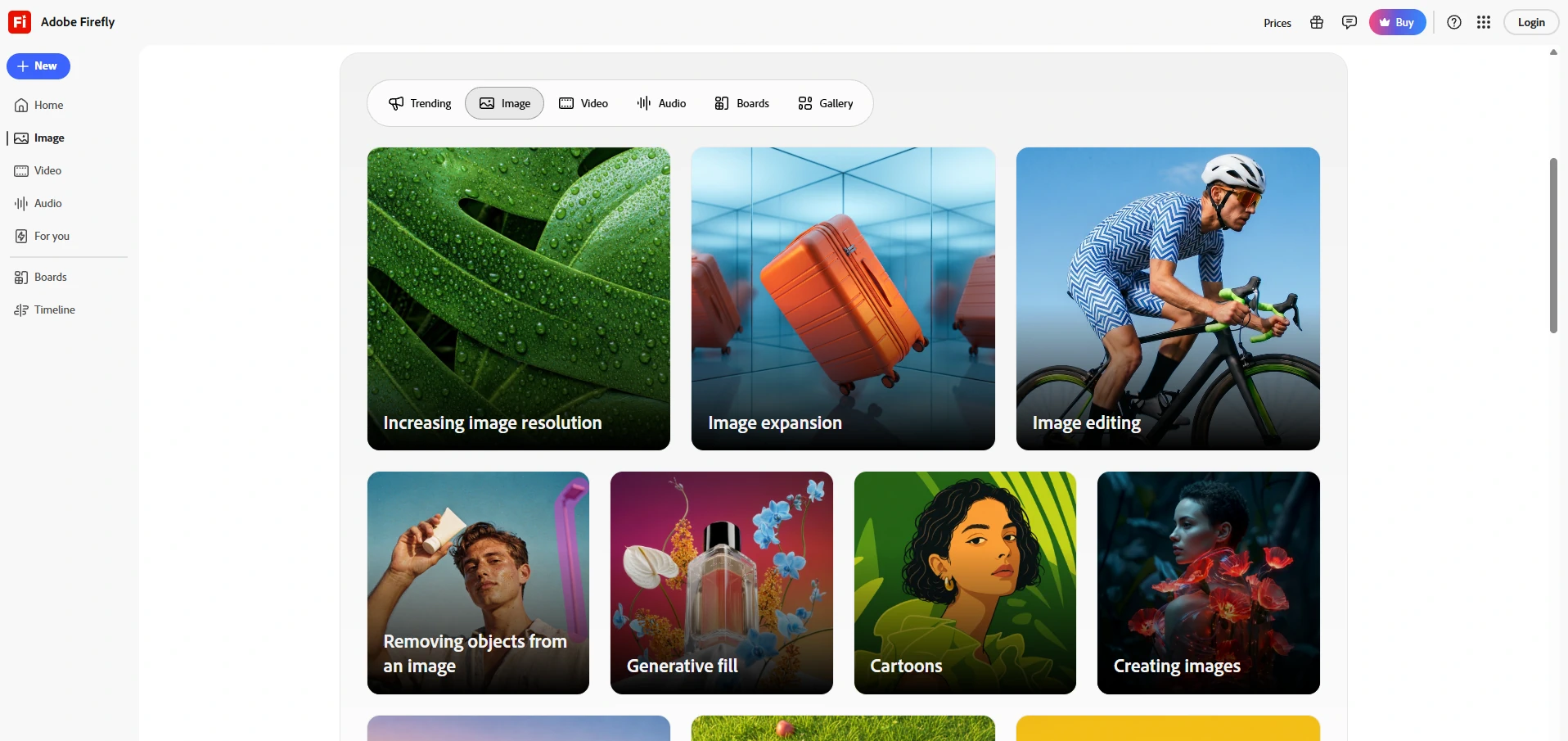
Adobe Firefly is Adobe’s AI-powered creative studio designed to help individuals and teams generate, edit, and enhance visual content using natural language. It combines image generation, video creation, vector graphics, photo editing, and audio tools into a single platform, allowing users to move from an idea to production-ready assets without switching between multiple applications. Firefly integrates closely with Adobe Creative Cloud, making it especially useful for designers, marketers, content creators, and creative professionals already working within the Adobe ecosystem.
Beyond generating images from text prompts, Adobe Firefly includes advanced editing capabilities such as object replacement, generative fill, video editing with AI, mood board creation through Firefly Boards, and automated creative workflows. Users can also translate audio and video while preserving the original voice, generate sound effects from text or voice prompts, and use the AI Assistant to create and refine content conversationally. These features make Firefly suitable for everything from social media graphics and marketing campaigns to professional design and video production.
Adobe offers Firefly through free and paid plans that include monthly generative AI credits, with higher tiers providing larger credit allowances for heavy usage. Business and team plans add commercially safe AI generation, centralized administration, shared creative assets, and collaboration tools, making Firefly a strong choice for organizations that need scalable, brand-consistent content creation. Overall, Adobe Firefly is one of the most comprehensive AI creative platforms, bringing image, video, audio, and workflow automation together in a single, production-focused environment.
Releases
2026
July
June
2026.06 Semantic search · 2026-06-01
Describe what you are looking for in natural language, and Firefly surfaces relevant results from your generation history and other locations without relying on exact filenames.
Official release notes2026.06 New workspace · 2026-06-01
Discover a redesigned Firefly home experience with quick access to image, video, audio, and design workflows, personalized recommendations, and a cleaner layout.
Official release notesApril
2026.04 AI assistant · 2026-04-01
Use conversational language to generate, edit, and refine content across formats while the assistant plans and executes multi-step creative workflows.
Official release notes2026.04 Create workflows · 2026-04-01
Use Create workflows in Creative Production to build consistent, reusable production pipelines that connect creative steps in a logical flow and support design at scale.
Official release notes2026.04 Brand intelligence6 · 2026-04-01
Use Adobe Brand Intelligence to apply brand rules and insights when validating and assembling consistent, compliant assets across creative workflows.
Official release notes2026.04 Enhance audio · 2026-04-01
Improve voice quality by reducing noise, isolating music and sound effects, and increasing clarity directly inside the Firefly video editor.
Official release notes2026.04 AI Markup · 2026-04-01
Draw, select, or reference specific areas of an image and apply targeted edits using text prompts or image references.
Official release notes2026.04 Precision flow · 2026-04-01
Shift the mood, tone, or atmosphere of an image while generating multiple variations to explore different visual directions.
Official release notesMarch
2026.03 Quick guides · 2026-03-01
Use Quick Guides in Firefly Boards to follow structured, easy-to-understand workflows that simplify the creative process.
Official release notes2026.03 Edit tab · 2026-03-01
Add or remove objects and backgrounds, expand the image frame, and upscale images using Firefly's dedicated image-editing workspace.
Official release notes2026.03 Design intelligence · 2026-03-01
Generate consistent, customized content from Illustrator using brand rules such as colors, fonts, logos, and layouts to create reusable designs.
Official release notesFebruary
2026.02 Quick cut · 2026-02-01
Use prompts to identify and sequence key moments from multiple clips, producing a story-ready first draft that can be refined in the Firefly video editor.
Official release notesJanuary
2026.01 Video transitions · 2026-01-01
Add simple transitions between clips to create smoother cuts and more visually consistent scene changes.
Official release notes2026.01 Partner video models · 2026-01-01
Create new video clips from text prompts using partner AI models integrated directly into the Firefly video editor.
Official release notes2025
December
2025.12 Firefly iOS · 2025-12-01
Use the Firefly iOS app to generate images, videos, sounds, and edits from a mobile device wherever creative inspiration occurs.
Official release notesOctober
2025.10 Video editor · 2025-10-01
Use Firefly's browser-based timeline editor to trim and arrange clips, add titles and audio, and generate new scenes from individual frames.
Official release notes2025.10 Generate speech · 2025-10-01
Transform written text into spoken audio using natural-sounding voices across multiple languages, accents, and vocal styles.
Official release notes2025.10 Generate soundtrack · 2025-10-01
Create custom soundtracks that match a video's mood, emotional tone, pacing, and duration.
Official release notes2025.10 Enhance speech · 2025-10-01
Remove background noise, balance volume levels, and improve voice clarity to produce cleaner, more professional audio recordings.
Official release notes2025.10 Prompt to edit · 2025-10-01
Generate or upload an image and use text prompts to add, remove, or transform objects and backgrounds until the result matches your intended design.
Official release notes2025.10 Bulk backgrounds · 2025-10-01
Upload multiple files, remove their existing backgrounds, and replace them with a solid color or another selected image.
Official release notes2025.10 Bulk color grading · 2025-10-01
Apply consistent, professional color adjustments across large batches of images in a single workflow.
Official release notes2025.10 Bulk cropping · 2025-10-01
Crop large batches of image files for use in social media posts, email campaigns, websites, banners, and other content formats.
Official release notes2025.10 Custom models · 2025-10-01
Train a custom Firefly model based on a specific visual style and use it to generate and develop ideas in Firefly and Firefly Boards.
Official release notesRelated articles
Guides and news that mention this tool.

Complete your AI stack
Turn generated images into videos, articles, books, voiceovers, and automated content workflows.




Best alternatives
Compare similar tools in the same category.